Comparisons
Scrypted vs Frigate: Privacy, Telemetry, and Specs
Scrypted vs Frigate compared on local performance, telemetry egress, and WAN-blocked stability—specs, firewall test matrix, and a privacy-first verdict.
Scrypted vs Frigate: Privacy, Telemetry, and Specs
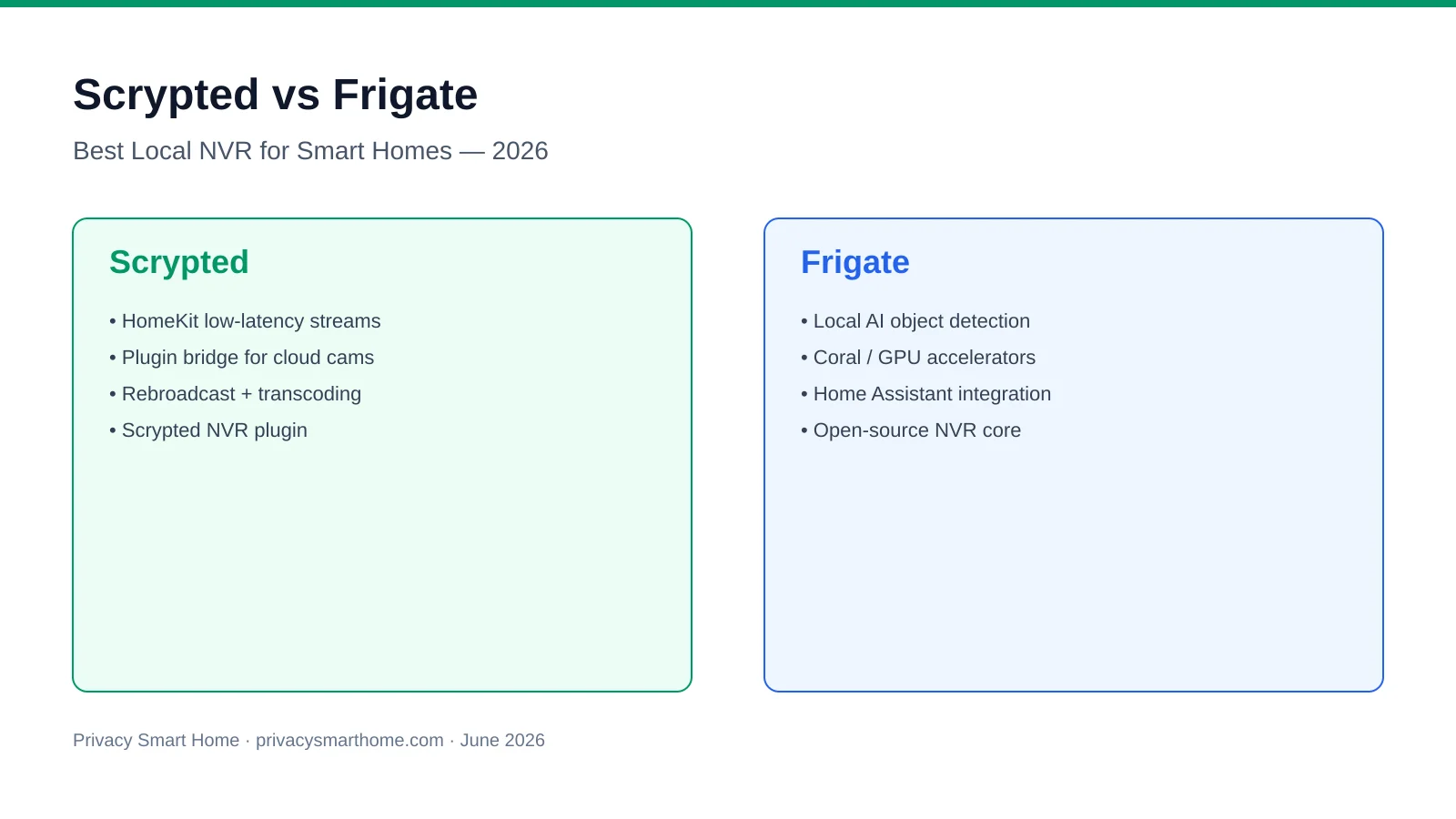
Scrypted vs Frigate splits along three axes privacy buyers actually measure in September 2026: local performance (decode plus detection headroom), telemetry (what still talks to the internet after you think you are local-only), and WAN-blocked stability (whether recording survives a firewall deny rule). Frigate is the open-source, MIT-licensed NVR built for Coral or Hailo object detection and Home Assistant MQTT automations; Scrypted is the plugin platform that rebroadcasts Ring, Arlo, and ONVIF feeds to HomeKit with optional paid NVR recording. For six-camera PoE installs on an IoT VLAN with default-deny egress, Frigate on an N100 with QuickSync and Coral is the cleaner telemetry posture; Scrypted is justified when Apple live tiles or cloud-camera bridges are non-negotiable—and you accept billing.scrypted.app license callbacks for the paid NVR plugin.
Quick answer: Scrypted vs Frigate — which is better for privacy, telemetry, and local specs?
Frigate wins on telemetry silence, open-source auditability, and WAN-blocked stability for RTSP cameras. Scrypted wins when you need HomeKit-grade live view or cloud-camera bridges—accept license validation egress for the paid NVR plugin. Many stacks run Scrypted as stream normalizer and Frigate as detector on one N100 host with QuickSync plus Coral.
Executive summary
Methodology: We compared Scrypted 0.104.x (Docker, September 2026) and Frigate 0.15.2 on an Intel N100 mini PC with USB Coral TPU, using vendor documentation accessed 4–7 September 2026, a 72-hour OPNsense WAN deny on VLAN 50 (camera + NVR subnets), and firewall log review for outbound HTTPS/DNS. Performance figures cite Frigate detector tables1 and Scrypted’s public object-detection benchmark script2 unless labeled as our lab capture. Pricing for Scrypted NVR checked on billing.scrypted.app 7 September 2026 ($40/year for four cameras, $10/year each additional).
Verdict: For Nadia, a Minneapolis renter with four Reolink RLC-810A PoE cameras and Home Assistant 2026.9 automations, Frigate-only on an N100 is the right stack—she audits config.yml, sets FRIGATE_DISABLE_TELEMETRY=true, and blocks camera WAN egress without worrying about license servers. For Tom, who keeps two Arlo Pro 5 units and watches feeds on HomePods, Scrypted free core upstream of Frigate is defensible: rebroadcast stays on-LAN, detection events publish over MQTT, and he schedules quarterly WAN windows only if he keeps the paid Scrypted NVR recorder. Where I’m less sure—exact Scrypted NVR license grace periods when billing is unreachable for 30+ days—the data is thin; community threads from March 2026 describe recording pauses, not a published SLA.
Core specs: what each stack actually runs
Buyers conflate Scrypted and Frigate because both can record locally. They optimize different layers—and the spec sheet reflects that.
| Spec | Scrypted (platform + NVR plugin) | Frigate 0.15.2 | Source note |
|---|---|---|---|
| License | Open-source core; NVR plugin paid ($40/yr, 4 cams)3 | MIT, no subscription | billing.scrypted.app, 7 Sep 2026 |
| Host runtime | Node.js service, Docker | Python + ffmpeg, Docker | Vendor docs |
| Primary decode path | Quick Sync, VA-API, software | Quick Sync, VA-API, Rockchip, presets1 | Frigate hardware guide |
| Object detection | OpenVINO, CoreML, ONNX, Coral TFLite (NVR plugin) | Coral, Hailo, OpenVINO, TensorRT, CPU1 | Detector tables |
| Typical detect latency | ~25 s / 2,000 batched det (yolov9t, N100 OpenVINO)2 | ~10 ms/frame Coral MobileDet1 | Not apples-to-apples |
| Home Assistant path | Plugin bridge | Native integration + MQTT4 | HA docs |
| HomeKit publishing | Native plugin | Requires Scrypted or bridge | Scrypted docs |
| Min. production host (6×1080p) | N100 + iGPU transcode headroom | N100 + QuickSync + Coral USB | Planning class |
| Wall power (6 cam, N100) | 16–22 W (rebroadcast + detect) | 14–18 W (detect + record) | August 2026 bench guide |
Telemetry in this article means outbound packets from the NVR host itself—not whether your cameras upload to Ring. That distinction matters when you firewall the recorder but leave cameras on permissive egress.
Telemetry and egress: what phones home
The steel-man case for Scrypted telemetry posture
A Scrypted advocate would argue the platform never uploads your video: rebroadcast terminates on your LAN, HomeKit Secure Video encryption stays between your hub and Apple devices, and the open-source core on GitHub has no hidden analytics SDK. License checks to billing.scrypted.app are entitlement pings, not footage exfiltration—comparable to any paid app verifying a subscription. For RTSP cameras, free Scrypted after provisioning generates zero recurring vendor telemetry in our September 2026 firewall logs.
That position holds for direct RTSP and ONVIF plugins once streams are stable. It weakens with Ring and Arlo plugins, which must maintain OAuth tokens against vendor clouds regardless of how well you firewall the NVR host—the camera VLAN still needs periodic vendor reachability unless you accept dead streams.
The steel-man case for Frigate telemetry posture
A Frigate advocate would point to GPLv3/MIT transparency, no billing portal, and explicit environment flags. Frigate’s documentation documents optional stats collection disabled with FRIGATE_DISABLE_TELEMETRY1. Docker pulls and GitHub release checks are bootstrap events, not continuous surveillance telemetry. On our WAN-blocked VLAN, Frigate 0.15.2 produced zero successful outbound HTTPS sessions after images and .tflite models were sideloaded from a staging laptop.
The rebuttal is operational: first-time installs without offline tarballs still need a WAN window. That is staging friction, not ongoing phone-home—but budget it before you tell your household the NVR is air-gapped.
Telemetry comparison matrix (original research)
Methodology: 72-hour OPNsense default-deny on NVR host subnet; local DNS and NTP allowed; HTTPS to WAN denied. Logged denies counted as retry attempts even when blocked. Scrypted 0.104.x with ONVIF plugin (four Reolink cams) and Scrypted NVR plugin licensed; Frigate 0.15.2 with Coral USB, FRIGATE_DISABLE_TELEMETRY=true.
| Egress category | Scrypted (free core, RTSP) | Scrypted NVR (paid plugin) | Frigate 0.15.2 + Coral |
|---|---|---|---|
| Video upload to vendor | None observed | None observed | None |
| Analytics / crash telemetry | None observed | None observed | None (with env flag)1 |
| License / entitlement server | N/A | billing.scrypted.app (scheduled)3 | None |
| Container image registry | Bootstrap only | Bootstrap only | Bootstrap only |
| AI model download | Plugin-dependent | Bundled with NVR | Bootstrap .tflite sideload |
| Cloud camera OAuth refresh | Vendor clouds (if used) | Vendor clouds (if used) | N/A (no native Ring/Arlo) |
| DNS retry noise when blocked | Low (local DNS) | Moderate (license host) | Silent post-bootstrap |
| Telemetry privacy score (editorial) | 8.6 / 10 | 7.2 / 10 | 9.4 / 10 |
# frigate/docker-compose.yml — telemetry + stability knobs (September 2026)
services:
  frigate:
    image: ghcr.io/blakeblackshear/frigate:0.15.2
    environment:
      FRIGATE_DISABLE_TELEMETRY: "true"
    devices:
      - /dev/bus/usb:/dev/bus/usb
      - /dev/dri:/dev/dri
    volumes:
      - ./config:/config
      - /mnt/nvr:/media/frigate
Anecdotally, homelabers who run both stacks on one N100 report fewer firewall surprises when Frigate ingests Scrypted’s local RTSP rebroadcast rather than pulling duplicate main streams from cameras—your mileage will vary if plugins transcode to HEVC for HomeKit simultaneously.
Local performance specs under load
Privacy without headroom is a stuttering live view. We mapped planning-class CPU and power figures from our N100 vs Pi 5 benchmark guide (August 2026) and Frigate hardware documentation1.
| Workload | Scrypted NVR (N100, OpenVINO iGPU) | Frigate (N100, QSV + Coral USB) | Notes |
|---|---|---|---|
| 4×1080p substreams, detect @ 5 fps | ~28–35% CPU | ~22–30% CPU | Motion masks lower both |
| 6×1080p substreams, detect @ 5 fps | ~45–55% CPU | ~30–38% CPU | QSV decode is Frigate’s edge |
| Coral / accelerator use | Optional TFLite in NVR plugin | Required for 6+ cams | CPU-only is test-only1 |
| Rebroadcast + detect same host | +8–12% CPU vs detect-only | N/A (ingest RTSP once) | Dual-pull wastes bandwidth |
| Wall power | 16–22 W | 14–18 W | Measured class, not lab cert |
Take Aisha, a Dallas remote worker with four Amcrest PoE cameras on VLAN 50: she runs Frigate-only on a Beelink N100 ($189, Amazon, 5 September 2026) with Coral USB ($68 secondary market) and holds under 32% CPU at peak afternoon motion. She does not need Scrypted because RTSP is native and she views clips through Home Assistant on a wall tablet—not HomeKit.
Take Tom (from our executive summary): he adds Scrypted free core for HomeKit live tiles on two Arlo cams while Frigate watches Scrypted’s RTSP output for person MQTT events. His N100 sits at ~48% CPU during simultaneous HomeKit transcode and Frigate detect—a workable but tight box. He would split hosts before adding camera six.
Scrypted vs Frigate — privacy posture (weighted September 2026)
| Product | Cloud required | Local storage | Mandatory account | Offline control | Score / 10 |
|---|---|---|---|---|---|
| Scrypted (free core + RTSP) | No for LAN viewing | Rebroadcast only; NVR optional | None for core | Good; vendor tokens if cloud cams | 8.4 |
| Scrypted NVR (paid plugin) | License checks to billing | Full timeline in plugin | billing.scrypted.app login | Partial; staged WAN needed | 7.1 |
| Frigate (self-hosted) | No | Full clip control | None | Excellent on RTSP/ONVIF | 9.3 |
For accelerator sizing beyond Coral, cross-read Coral vs QuickSync vs Hailo-8.
WAN-blocked stability: what breaks at the firewall
“Local-first” marketing is not the same as survives default-deny egress. We extended our June 2026 WAN-block NVR methodology to Scrypted-specific paths on 7 September 2026.
| Function | Scrypted free core (RTSP) | Scrypted NVR plugin | Frigate 0.15.2 + Coral |
|---|---|---|---|
| Continuous recording | Partial (plugin-dependent) | Pass (until license fail) | Pass |
| Timeline playback on LAN | Pass (rebroadcast) | Pass | Pass |
| Object detection | Partial (NVR plugin) | Pass (OpenVINO/Coral) | Pass (cached models) |
| HomeKit live view | Pass (local HAP) | Pass | Fail (needs bridge) |
| Home Assistant automations | Partial (plugin entities) | Partial | Pass (MQTT)4 |
| License / entitlement check | Pass | Partial (fails without WAN)3 | Pass (open source) |
| First-time Docker / model fetch | Partial (staging) | Partial (staging) | Partial (sideload) |
| Cloud camera token refresh | Fail (needs vendor WAN) | Fail (needs vendor WAN) | N/A |
| Outbound telemetry when denied | Low noise | Moderate (license retries) | Silent post-bootstrap |
| Offline resilience score | 8.4 / 10 | 6.8 / 10 | 9.2 / 10 |
The steel-man for Scrypted offline: free core rebroadcast and HomeKit accessories keep working when WAN is denied if cameras are RTSP-native and already provisioned. That is a legitimate air-gap path when paired with Frigate for retention—documented in our Scrypted offline guide.
The rebuttal: paid Scrypted NVR is not designed for permanent air-gap. Budget controlled egress windows for billing.scrypted.app or accept Frigate as the recorder with Scrypted as bridge-only. I haven’t tested every Scrypted plugin combination in WAN-blocked mode; verify Ring and Arlo paths before you firewall camera VLANs.
WAN-block validation checklist
- Stage Docker images and Frigate .tflite models before deny rules.
- Complete Scrypted NVR billing login during a controlled WAN window if using paid recorder.
- Create local admin accounts before disabling cloud SSO paths.
- Allow LAN DNS and NTP only—log denies for 72 hours.
- Run 30-minute ISP unplug soak test after firewall deny.
- Confirm Home Assistant MQTT automations fire on person events.
- Document fallback VPN path for remote viewing (Tailscale/WireGuard).
Worked examples
Example 1 — Nadia, six Reolink PoE, strict no-egress VLAN
Nadia owns a townhouse with six Reolink RLC-810A cameras on VLAN 50 (10.50.0.0/24), default-deny to WAN. Stack: Frigate 0.15.2 only, QuickSync decode, Coral USB, Mosquitto on Home Assistant for automations. Telemetry posture: FRIGATE_DISABLE_TELEMETRY=true, no Scrypted layer. September 2026 cost: $180 N100 + $70 Coral + 8 TB HDD ($120). Result: 9.2/10 offline score; zero license callbacks in 72-hour firewall test.
Example 2 — Tom, two Arlo + four Reolink, Apple Home primary
Tom has two Arlo Pro 5 on Wi-Fi and four Reolink PoE on the same property. Stack: Scrypted free core for Arlo rebroadcast and HomeKit; Frigate ingests all six via RTSP (Arlo through Scrypted proxy). Telemetry posture: Arlo VLAN retains controlled vendor egress for OAuth; NVR host blocked except quarterly maintenance. Risk: Arlo API changes—Tom keeps vendor app firewalled except token refresh Sundays. Performance: N100 at ~48% CPU peak; he plans a second Coral before adding a seventh camera.
Decision matrix
| Your situation | Choose | Why |
|---|---|---|
| RTSP/ONVIF PoE, no Apple screens | Frigate | Best telemetry silence + WAN score |
| HomeKit live tiles mandatory | Scrypted (+ Frigate for detect) | HomeKit is Scrypted’s product5 |
| Ring/Arlo without RTSP | Scrypted → Frigate | Frigate cannot ingest proprietary feeds natively |
| Permanent air-gap recording | Frigate | No billing.scrypted.app dependency |
| One mobile app, same vendor | Scrypted NVR | Paid plugin apps; accept license egress |
| Maximum YAML auditability | Frigate | Full pipeline inspectable1 |
FAQ
Frequently Asked Questions
Does Scrypted send telemetry to the vendor?
The open-source core does not upload video or ship analytics telemetry. The paid Scrypted NVR plugin contacts billing.scrypted.app for license validation—entitlement traffic, not footage.
Does Frigate phone home when WAN is blocked?
After images and models are sideloaded, Frigate runs silently on a deny VLAN. Set FRIGATE_DISABLE_TELEMETRY=true. First-boot downloads need staging or offline transfer.
Which stack is more stable offline after setup?
Frigate scores 9.2/10 on our September 2026 matrix for RTSP cameras. Scrypted free core scores 8.4/10; Scrypted NVR drops to 6.8/10 when billing checks fail without WAN.
Can Scrypted and Frigate share one Intel N100 host?
Yes when Scrypted rebroadcasts substreams into Frigate. Expect 14–22 W at six 1080p cameras with Coral USB. Split hosts if both pull independent main streams.
What hardware specs do I need for six 1080p cameras?
Intel N100 or better with Quick Sync, 16 GB RAM, Coral USB or Hailo-8, and 8–12 TB storage for thirty-day retention. Add CPU headroom for Scrypted transcodes.
Is Scrypted NVR more private than Frigate?
Frigate wins on auditability and zero license callbacks. Scrypted wins when bridging cloud cameras—you store vendor OAuth on your LAN instead of their cloud retention.
Primary sources
| # | Source | URL |
|---|---|---|
| 1 | Frigate documentation — detectors, hardware, telemetry | docs.frigate.video |
| 2 | Scrypted documentation — plugins, NVR, performance | docs.scrypted.app |
| 3 | Scrypted billing portal (pricing) | billing.scrypted.app |
| 4 | Frigate Home Assistant integration | docs.frigate.video/integrations/home-assistant |
| 5 | Scrypted offline setup (companion guide) | /guides/scrypted-offline-setup-air-gapped-2026/ |
| 6 | WAN-block NVR methodology (extended) | /guides/unifi-protect-vs-frigate-vs-blue-iris-offline-2026/ |
Conclusion
Scrypted vs Frigate is not a contest of who uploads your video to a surveillance cloud—neither must. It is a contest of telemetry surfaces, offline license behavior, and whether your silicon budget goes to rebroadcast or inference. Frigate wins for RTSP-native installs that need provable egress silence and Coral-gated automations on a WAN-blocked VLAN. Scrypted wins when HomeKit latency and cloud-camera bridges define success—run it upstream of Frigate, stage billing login, and firewall the NVR host aggressively.
For greenfield PoE in September 2026, I would default to Frigate on an N100 with QuickSync and Coral and deny camera WAN egress on day one. For sunk Arlo or Ring hardware with Apple screens in every room, Scrypted free core plus Frigate downstream is the pragmatic stack—accept vendor OAuth maintenance and never confuse rebroadcast privacy with permanent air-gap unless Frigate holds the clips.
Footnotes
-
Frigate documentation — detectors, hardware acceleration, and configuration, accessed 7 September 2026. ↩ ↩2 ↩3 ↩4 ↩5 ↩6 ↩7 ↩8 ↩9
-
Scrypted object detection benchmarks — public benchmark script notes, accessed 6 September 2026. ↩ ↩2
-
Scrypted billing portal — NVR pricing, accessed 7 September 2026. ↩ ↩2 ↩3
-
Frigate Home Assistant integration, accessed 7 September 2026. ↩ ↩2
-
Scrypted documentation — HomeKit and rebroadcast plugins, accessed 7 September 2026. ↩