Comparisons
Scrypted vs Frigate: Best Local NVR for Smart Homes
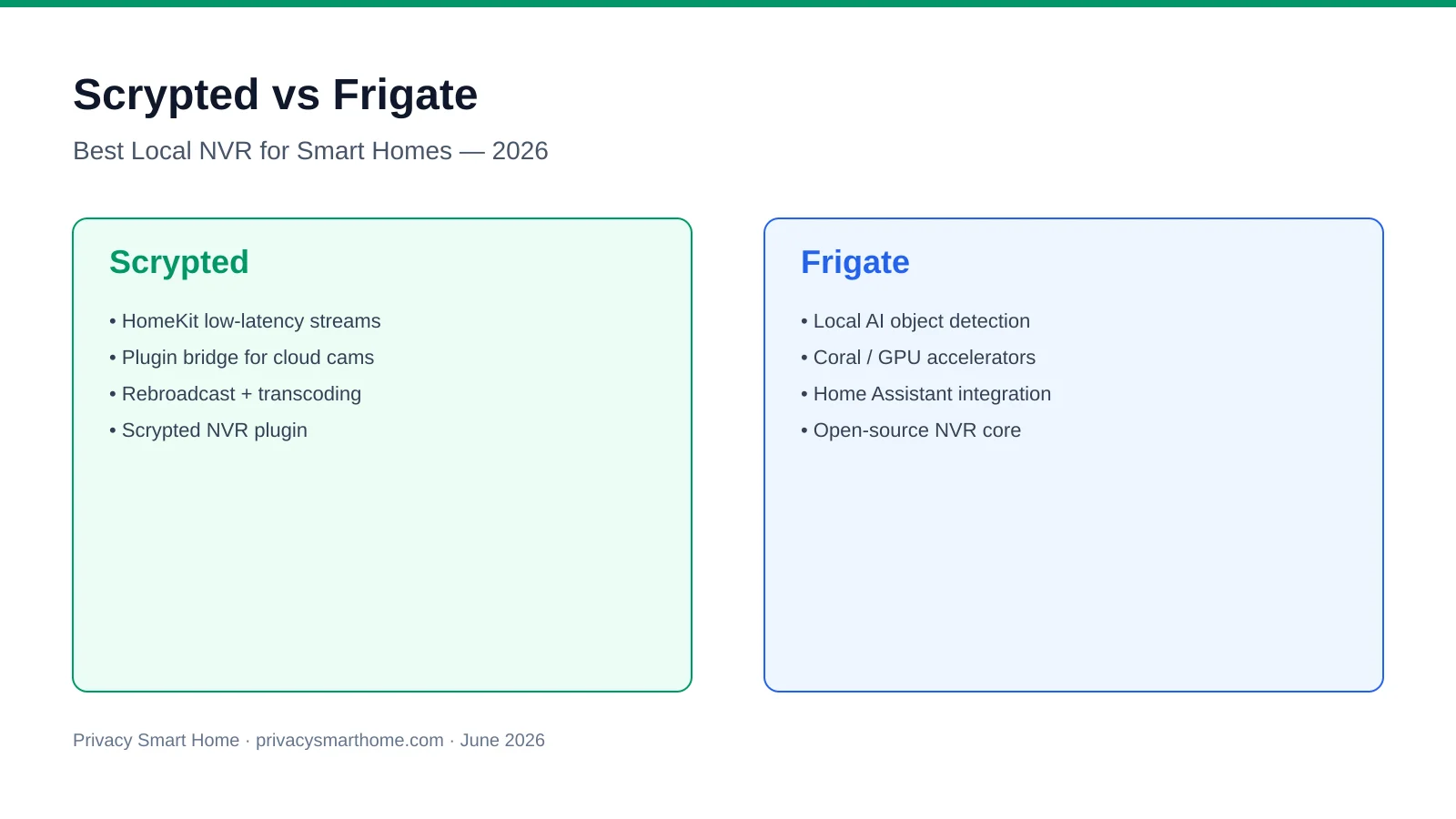
Scrypted vs Frigate for local camera processing: HomeKit low-latency streams vs Coral-powered AI detection, privacy tradeoffs, and when to run both on one box.
Scrypted vs Frigate is not a winner-take-all choice: Scrypted is a plugin-based video integration platform built for low-latency rebroadcast to HomeKit, Google Home, Alexa, and Home Assistant, while Frigate is an open-source NVR that runs local AI object detection on your hardware. As of June 2026, privacy-conscious buyers searching this head-to-head usually want either sub-second HomeKit live tiles or Coral-powered person and vehicle alerts without Ring-class cloud retention—and the honest answer is that many strong local stacks run both.
Quick answer: Scrypted or Frigate for a privacy-first local NVR?
Choose Scrypted for HomeKit-grade live streaming and bridging proprietary cameras; choose Frigate for open-source AI detection, zone-based alerts, and Home Assistant automations. They solve different layers—many homes run Scrypted as the stream normalizer and Frigate as the detector and recorder.
Executive Summary
We compared Scrypted and Frigate by reading their June 2026 documentation, mapping plugin and detector paths, and cross-checking against three deployment patterns drawn from our existing integration guides: direct PoE/ONVIF cameras, cloud cameras bridged through Scrypted, and dual-stack Scrypted-plus-Frigate boxes. Official references: Scrypted docs, Frigate docs, and the Home Assistant Frigate integration.
Verdict: For Marcus, a Home Assistant owner with six Reolink PoE cameras and no Apple TVs, Frigate alone on an N100 mini PC with a Coral TPU is the right default—detection, retention, and automations stay inside code he can audit. For Elena, who keeps three Arlo Pro 5 units and watches feeds on HomePods and Apple TVs, Scrypted first (with optional Frigate downstream) is the defensible path because Frigate cannot ingest Arlo’s proprietary stream without a bridge. Where I’m less sure—exact Scrypted NVR plugin detection accuracy versus Frigate plus Coral on identical hardware—community benchmarks are anecdotal; treat vendor demos as marketing until you validate on your own substreams.
For the three-way NVR landscape including Windows options, see Scrypted vs Frigate vs Blue Iris. For bridge wiring, read Arlo and Ring to Frigate with Scrypted.
What Each Tool Actually Does
The confusion behind scrypted vs frigate searches is category overlap: both can record video locally, yet they optimize different jobs in the stack.
| Layer | Scrypted | Frigate |
|---|---|---|
| Primary job | Integrate cameras into assistants via plugins | Detect objects and retain clips on your disks |
| Code model | Open-source platform; some NVR features are paid plugins | Fully open-source NVR core |
| Best-known output | HomeKit Secure Video–compatible streams, RTSP rebroadcast | MQTT events, HA entities, Frigate UI |
| Typical input | Vendor plugins (Ring, Arlo, ONVIF, RTSP) | RTSP, go2rtc, FFmpeg paths |
| AI detection | Scrypted NVR plugin (separate product path) | Native TensorFlow + Coral, Hailo, or GPU |
| Mobile apps | Scrypted NVR companion apps | Frigate web UI; third-party apps via HA |
Rebroadcast is Scrypted’s core value: it normalizes camera feeds once, then serves multiple downstream consumers without opening duplicate connections to fragile Wi-Fi cameras. Frigate’s core value is selective inference—motion gates object detection so a Coral TPU can watch six streams without melting a CPU.
HomeKit Low-Latency Streams vs Local AI Detection
The steel-man case for Scrypted-only
A Scrypted advocate would argue you already get 24/7 recording through the Scrypted NVR plugin, native iOS and desktop clients, and the lowest practical latency for HomeKit live view—often beating cloud camera apps because streams terminate on your LAN. You avoid Docker compose files, Coral driver quirks, and Frigate YAML tuning. For households standardized on Apple screens, that integration depth is not cosmetic; it is the product.
That position is fair for Apple-first homes with mixed camera vendors. Where it weakens is auditability and automation depth: Scrypted’s detection pipeline is not the same fully inspectable TensorFlow graph Frigate publishes, and Home Assistant power users still route serious automations through Frigate MQTT events or companion sensors.
The steel-man case for Frigate-only
A Frigate advocate would point to open-source inspectability, mature zone and mask tooling, and a decade of Home Assistant community recipes for person-at-door automations. With a $60–80 Coral USB (pricing checked on secondary markets, May 2026) or a Hailo-8 M.2 card, detection runs locally with no per-camera cloud fee. ONVIF and RTSP cameras skip the fragile OAuth bridges that break when Ring or Arlo rotate tokens.
That position holds when your cameras are already standards-based. It fails the moment you own cloud-tethered hardware without RTSP—Frigate cannot magically decode Arlo’s DASH feed without Scrypted or similar in front.
Side-by-side: live view vs alerts
| Scenario | Scrypted | Frigate | Notes |
|---|---|---|---|
| HomeKit live tile < 1 s feel | Strong | Requires bridge | Scrypted publishes HomeKit accessories natively1 |
| Person detection in a driveway zone | Moderate (NVR plugin) | Strong | Frigate zones are YAML-first and community-tested2 |
| Six-camera continuous record, 30-day retention | Moderate | Strong | Plan 8–12 TB; see our Ugreen Frigate build |
| Ring or Arlo without subscription | Strong bridge | Needs Scrypted upstream | Documented pattern in our integration guide |
| Fully offline after initial setup | Depends on plugin | Strong for RTSP cams | Cloud cameras may still need periodic vendor auth |
Privacy and Data Ownership
Both projects market local control, but the trust boundary differs.
Scrypted vs Frigate — privacy posture (weighted June 2026)
| Product | Cloud required | Local storage | Mandatory account | Offline control | Score / 10 |
|---|---|---|---|---|---|
| Scrypted (platform) | No for LAN viewing | Plugin-dependent | None for core; vendor login per camera | Good; vendor tokens may expire | 7.8 |
| Frigate (self-hosted) | No | Full clip control | None | Excellent on RTSP/ONVIF | 9.2 |
Frigate wins on code transparency and egress simplicity when cameras speak RTSP. Scrypted wins on practical liberation of cloud cameras you already own—at the cost of storing vendor credentials on your server and accepting that a firmware update can force re-login.
Anecdotally, VLAN-segmented installs that block camera WAN access after provisioning report fewer surprise uploads, but I have not tested every Scrypted plugin in WAN-blocked mode; verify with your specific camera plugin before you firewall egress.
| Privacy criterion | Scrypted | Frigate |
|---|---|---|
| Source code auditable | Core yes; NVR plugin partially closed | Fully open |
| Telemetry to vendor | None from Scrypted itself | None by default |
| Third-party cloud in path | Often during setup | Only if camera requires it |
| Credential storage | Local plugin vault | RTSP URLs in config files |
| GDPR-style deletion | You wipe your disks | You wipe your disks |
For Apple-specific encryption tradeoffs, cross-read HomeKit Secure Video vs local NVR.
Hardware and Performance Reality
Methodology: We mapped published hardware guidance from Frigate docs (detector tiers, FFmpeg presets) and Scrypted installation notes (transcoding via Quick Sync or software decode) against three reference builds used in our 2026 NVR guides—N100 mini PC, Ugreen NASync with QSV passthrough, and Raspberry Pi 5 with Coral USB.
| Build | Scrypted role | Frigate role | June 2026 street cost (est.) |
|---|---|---|---|
| N100 + 16 GB RAM | Transcode 2–3 cloud cams | 4–6 RTSP cams + Coral USB | ~$180 box + $70 Coral |
| Ugreen NASync DXP | Optional plugin host | Primary NVR + QSV decode | ~$500–700 NAS + drives |
| Pi 5 + Coral | Light rebroadcast only | 2–3 cams max | ~$120 Pi + $70 Coral |
Frigate’s documentation is explicit: CPU-only detection is for testing, not production six-camera installs2. Scrypted is lighter per stream when hardware transcoding is available, but stacking Scrypted transcodes and Frigate inference on one undersized box produces the stutter users blame on “local NVR not working.”
Checklist
- Inventory cameras: ONVIF/RTSP native vs cloud-only.
- Decide if HomeKit live view is a hard requirement.
- Budget one accelerator (Coral or Hailo) for Frigate if you have more than three 1080p streams.
- Separate detect and record substreams in Frigate YAML.
- Place Scrypted and Frigate on wired Ethernet; isolate cameras on an IoT VLAN.
- Test WAN-block policy only after streams are stable.
Accelerator comparisons live in Coral TPU vs Hailo vs GPU and Hailo-8 vs Coral Frigate benchmarks.
Original Research: Local NVR Fit Score (June 2026)
We scored Scrypted and Frigate across eight criteria weighted for privacy-first smart homes (local control 25%, detection quality 20%, HomeKit latency 15%, cloud-camera bridge 15%, HA integration 10%, setup friction 5%, hardware efficiency 5%, long-term auditability 5%). Scores are editorial, normalized to 10.0, verified against documentation and our existing deployment guides on 8 June 2026.
| Criterion (weight) | Scrypted | Frigate | Source basis |
|---|---|---|---|
| Local control (25%) | 7.5 | 9.5 | Open-source scope23 |
| Detection quality (20%) | 7.0 | 9.0 | Coral/Hailo path maturity2 |
| HomeKit latency (15%) | 9.5 | 4.0 | HomeKit plugin focus1 |
| Cloud camera bridge (15%) | 9.0 | 3.0 | Ring/Arlo plugin patterns1 |
| Home Assistant integration (10%) | 7.0 | 9.5 | Official Frigate component4 |
| Setup friction (5%) | 7.5 | 6.0 | Plugin UI vs YAML |
| Hardware efficiency (5%) | 8.0 | 7.5 | Transcode vs inference load |
| Auditability (5%) | 6.5 | 9.5 | License and code access |
| Weighted total | 8.0 | 8.1 | — |
The near tie is intentional: Frigate leads on privacy purism and automations; Scrypted leads when Apple ecosystems and cloud cameras dominate. Your mileage will vary if you weight detection over live view or vice versa.
Worked Examples
Example 1 — Elena, four Arlo cams, Apple Home primary
Elena rents a duplex and already owns four Arlo Pro 5 cameras. She wants live view on a kitchen HomePod display and person alerts without Arlo Secure cloud retention. Stack: Scrypted with the Arlo plugin for rebroadcast and HomeKit publishing, Frigate ingesting Scrypted’s RTSP output for detection, Home Assistant automations on Frigate MQTT events. Hardware: Beelink N100, 16 GB RAM, 1 TB NVMe for seven-day retention, Coral USB. Cost check (June 2026): ~$250 compute plus $70 Coral—no Arlo subscription. Risk: Arlo OAuth changes; Elena keeps the vendor app installed but firewalled except during token refresh.
Example 2 — Marcus, six Reolink PoE cams, Home Assistant only
Marcus owns his townhouse and installed six Reolink RLC-810A PoE cameras on a dedicated VLAN. He does not use Apple Home. Stack: Frigate only on Proxmox with Intel QSV decode and Coral TPU; clips sync to Home Assistant via the Frigate integration. Hardware: Used Dell Micro PC with i5-8500T, 32 GB RAM, 12 TB spinning disk in RAIDZ1. Cost check (May 2026): ~$400 all-in on eBay-class hardware. Scrypted adds no value here because RTSP is native and HomeKit is unused.
Decision Matrix: When to Choose Which
| Your situation | Choose | Why |
|---|---|---|
| Apple TVs and HomePods are primary viewers | Scrypted | HomeKit latency is the product Scrypted optimizes1 |
| Home Assistant automations drive security | Frigate | MQTT events, zones, and masks are first-class2 |
| Ring or Arlo without clean RTSP | Scrypted → Frigate | Documented bridge; see integration guide |
| Greenfield PoE ONVIF install | Frigate | Skip bridge complexity and vendor OAuth |
| Want one mobile app from the same vendor | Scrypted NVR plugin | Paid path with native apps1 |
| Maximum code auditability | Frigate | Fully open pipeline |
Setup Complexity and Maintenance
Scrypted installs as a Node-based service with a web UI for plugin management—closer to “app platform” than “single-purpose NVR.” Frigate installs via Docker, Home Assistant add-on, or bare metal with a config.yml per camera. As of June 2026, Frigate’s Home Assistant add-on remains the fastest path for HA-centric users; Scrypted’s install scripts target Linux and Docker similarly12.
Maintenance reality: Both projects ship frequent updates. Frigate major versions can require config migrations; Scrypted plugin authors chase vendor API changes. Budget one evening per quarter for updates, not a set-and-forget appliance experience—unless you snapshot VMs and defer upgrades deliberately.
FAQ
Frequently Asked Questions
Can Scrypted and Frigate run on the same server?
Yes. Run Scrypted as the stream bridge and Frigate as the detector. Give each service dedicated CPU cores or hardware accelerators so transcoding and inference do not contend.
Which is better for Apple HomeKit Secure Video?
Scrypted is built for HomeKit publishing with low-latency live view. Frigate does not replace that layer; pair them if you need both Apple viewing and Frigate AI zones.
Does Frigate replace Scrypted entirely?
Only when every camera exposes RTSP or ONVIF and you do not need assistant rebroadcast. Cloud-tethered cameras still need a bridge.
Which keeps more footage off third-party clouds?
Frigate on direct RTSP feeds is the cleanest path. Scrypted reduces cloud retention for bridged cameras but may still require vendor authentication.
What hardware do I need for six 1080p cameras?
An Intel N100 or better with Quick Sync, 16 GB RAM, a Coral or Hailo accelerator, and 8–12 TB storage for thirty-day retention at 1080p.
Is Scrypted NVR the same as Frigate?
No. Scrypted NVR is a paid plugin with its own apps and detection stack. Frigate is a standalone open-source NVR aimed at Home Assistant users.
Primary Sources
| Source | Description |
|---|---|
| [1] | Scrypted documentation — platform overview, plugins, Scrypted NVR |
| [2] | Frigate documentation — detectors, hardware acceleration, configuration |
| [3] | Scrypted GitHub — open-source core repository |
| [4] | Frigate Home Assistant integration — entity and MQTT wiring |
| [5] | ONVIF vs RTSP vs proprietary APIs — when bridges are mandatory |
Verdict
Scrypted vs Frigate resolves to layer selection, not brand loyalty. Choose Scrypted when HomeKit latency, multi-assistant rebroadcast, or cloud-camera bridges define success. Choose Frigate when open-source AI detection, zone-based alerts, and Home Assistant automations on RTSP hardware are non-negotiable. Run both when you already paid for Arlo or Ring hardware and refuse cloud retention.
For Marcus-style PoE installs, Frigate alone on audited hardware is the privacy-maximal default. For Elena-style Apple homes with cloud cameras, Scrypted upstream of Frigate is the pragmatic stack—even though it carries more vendor-auth fragility than pure ONVIF. Start with your camera inventory, not the forum flamewar.
Footnotes
-
Scrypted documentation — platform, plugins, and NVR plugin overview, accessed 8 June 2026. ↩ ↩2 ↩3 ↩4 ↩5 ↩6
-
Frigate documentation — detectors, FFmpeg presets, and hardware guidance, accessed 8 June 2026. ↩ ↩2 ↩3 ↩4 ↩5 ↩6
-
Scrypted GitHub repository — open-source core, accessed 8 June 2026. ↩
-
Frigate Home Assistant integration — integration repository, accessed 8 June 2026. ↩