How-To
How to Configure mDNS Across IoT VLANs Securely
Configure mDNS across VLANs on OPNsense with os-mdns-repeater or Avahi so Home Assistant discovers IoT devices without flattening your segmented network.
Quick answer: How do you run mdns across VLANs on OPNsense without exposing the whole LAN?
Install os-mdns-repeater, enable it on exactly two interfaces (for example Trusted + IoT), keep Guest out of the list, and add narrow UDP/5353 pass rules on those interfaces only. Then allow Home Assistant to initiate control sessions to IoT—do not mirror a flat network with allow-all RFC1918 rules.
Source: OPNsense multicast DNS how-to
To run mdns across VLANs on OPNsense, install the os-mdns-repeater plugin, enable it on only the subnets that need Bonjour discovery (typically your Home Assistant VLAN and your IoT VLAN), and add UDP port 5353 pass rules on those interfaces. Multicast DNS does not cross routers by default—VLAN tagging stops link-local broadcasts—so a controlled repeater (or an Avahi reflector on a Linux bridge host) is what restores Chromecast, AirPlay, and _home-assistant._tcp visibility without moving every device back to one flat subnet.
Why VLAN segmentation breaks Home Assistant discovery
mDNS (multicast DNS, RFC 6762) answers on 224.0.0.251:5353 and stays on a single Layer-2 broadcast domain. When you follow IoT VLAN setup for beginners or separate VLAN architecture, you intentionally block that behavior. Phones on 10.12.10.0/24 can still reach https://ha.home:8123 if firewall rules permit unicast—but the companion app’s auto-discovery fails because _home-assistant._tcp never reaches the phone’s subnet.
That mismatch is the top support thread in privacy-focused Home Assistant labs: operators prove TCP works with curl, then blame Zigbee or Matter when the real gap is DNS-SD (RFC 6763) not crossing VLAN boundaries. As of May 2026, most consumer IoT still assumes Bonjour semantics; Matter-over-Wi-Fi commissioning windows also lean on multicast during setup even when daily control moves to Thread2.
| Symptom | Likely cause | First fix to try |
|---|---|---|
| HA mobile app “cannot find server” | No mDNS path to phone VLAN | Repeater on Trusted + LAN, or manual URL |
| Integrations discover but go unavailable | IoT→HA blocked, not discovery | Directional pass from HA IP only |
| Chromecast visible on IoT, not on TV VLAN | Missing UDP 5353 or repeater | Scoped repeater, not flat LAN |
| Guest iPad sees your printers | Repeater too broad | Remove Guest from interface list |
For conceptual background without OPNsense steps, see mDNS on VLANs: discovery privacy. For east-west denies that should stay in place while you add multicast, use OPNsense IoT VLAN firewall rules.
Reference lab: Marcus’s three-VLAN OPNsense layout
Marcus runs Home Assistant OS on a Protectli box at 10.12.20.42 (VLAN 20, “Automation”), Matter bulbs on VLAN 30 (“IoT”), and family laptops on VLAN 10 (“Trusted”). His OPNsense release is 24.7 (May 2026 security track). He already blocks IoT-initiated flows toward Trusted per our lateral-movement guide; he only needs discovery and HA-initiated control.
| VLAN | ID | Subnet | What lives there |
|---|---|---|---|
| Trusted | 10 | 10.12.10.0/24 | Phones, laptops |
| Automation | 20 | 10.12.20.0/24 | Home Assistant, Zigbee coordinator |
| IoT | 30 | 10.12.30.0/24 | Plugs, TVs, speakers |
| Guest | 90 | 10.12.90.0/24 | Visitors—no repeater |
Marcus’s goal: phones on Trusted discover HA; HA discovers IoT accessories; Guest never sees _googlecast._tcp from IoT. Estimated maintenance: 45–90 minutes first setup, 15 minutes per quarter to verify repeater interfaces after firmware updates.
OPNsense os-mdns-repeater: install and configure
Official OPNsense documentation (accessed 27 May 2026) describes the Multicast DNS Proxy workflow: install os-mdns-repeater, then configure under Services → MDNS Repeater3.
Step 1 — Install the plugin
- Open System → Firmware → Plugins.
- Search for os-mdns-repeater and install.
- Apply firmware updates if prompted; reload the GUI.
Some operators reboot after first install; I have not seen a mandatory reboot on every 24.7 point release, but scheduling a maintenance window avoids debating that on a live network.
Step 2 — Enable the repeater on specific interfaces only
Navigate to Services → MDNS Repeater:
| Setting | Marcus’s value | Notes |
|---|---|---|
| Enabled | On | Service starts on boot when saved |
| Interfaces | OPT1_TRUST, OPT2_AUTO, OPT3_IOT | Not OPT9_GUEST |
Step 3 — Resolve port 5353 conflicts
If the repeater fails to start, check whether Unbound, Dnsmasq, or a captive DNS plugin already binds 5353 on the firewall host. The plugin README notes mDNS is administratively scoped; only one listener should own the port per interface stack4. Anecdotally, labs that run AdGuard Home on the same OPNsense box sometimes collide until DNS services are split to another VM.
Step 4 — Plugin blocklists (optional hardening)
Plugin changelog 1.2 (2024+) added blocklist support on os-mdns-repeater—useful if you want to suppress noisy service types (for example legacy printer advertisements) while still relaying _hap._tcp or _home-assistant._tcp. I have not tested every blocklist syntax against HomeKit-heavy networks; capture packets before filtering aggressively.
Firewall rules on OPNsense (UDP 5353 and control plane)
Multicast relay does not replace firewall policy. OPNsense still needs explicit pass rules for the traffic you intend after discovery.
Baseline passes for mDNS reflection
On each interface participating in the repeater, add a rule above broad deny rules:
Action: Pass
Protocol: UDP
Source: (interface subnet) or alias MDNS_CLIENTS
Destination: 224.0.0.251
Destination port: 5353
Description: mDNS link-local multicast (scoped)
Marcus also adds a pass on the Automation interface allowing Home Assistant (10.12.20.42) to initiate TCP 8123 (or his reverse proxy port) toward Trusted phones—discovery and control are separate problems.
What not to do
Steel-manning the lazy approach: “I will allow all UDP/5353 from any LAN to any destination to fix discovery in one click.” That works quickly and is popular on forum threads because it mimics a flat consumer router. The rebuttal is privacy posture: Guest SSIDs, compromised TVs, and one-off vendor tablets gain a service catalog of your home—printer models, HA instance names, camera bridges—without exploiting a TCP CVE. Prefer interface-scoped multicast rules tied to the same interfaces selected in the repeater GUI.
Directional Home Assistant control (after discovery)
| Rule direction | Example | Purpose |
|---|---|---|
| Automation → IoT | Pass TCP 80/443/8883 from HA_HOST to IOT_DEVICES alias | Poll integrations |
| IoT → Automation | Block new sessions to HA | Prevent lateral pivot |
| IoT → Trusted | Block | Containment per lateral movement guide |
Pair with blocking IoT DNS leaks so devices cannot bypass your resolver while you tune multicast.
pfSense and Linux Avahi alternatives
Not every reader runs OPNsense. pfSense ships an Avahi package with reflector semantics; menu paths differ but the policy story matches: pick interfaces, enable reflection, avoid binding conflicts on 5353.
Linux / Proxmox hosts can run avahi-daemon with enable-reflector=yes and allow-interfaces= limited to bridge legs. That pattern helps when OPNsense is upstream and you want a dedicated reflector VM with static IP—some operators block IoT → 224.0.0.251 except toward that VM to reduce duplicate flooding (a pattern described in advanced homelab write-ups, May 2026).
| Approach | Best for | Privacy control | Ops burden |
|---|---|---|---|
| os-mdns-repeater | OPNsense all-in-one | Medium—GUI interface list | Low |
| pfSense Avahi | Existing Netgate CE labs | Medium | Low–medium |
| Dedicated Avahi VM | Multi-site reflection | High—firewall pinholes to one IP | Medium |
| AP “mDNS gateway” | UniFi/Omada-only shops | Varies by vendor | Low until opaque |
Verdict for this site’s audience: If you already chose OPNsense for segmented smart homes (OPNsense vs pfSense), os-mdns-repeater is the right default—fewer moving parts than a sidecar VM, and it keeps multicast policy adjacent to the same ruleset you use for IoT egress filtering.
Original research: mDNS reflector fit matrix (May 2026)
Methodology: We compared five deployment patterns against seven criteria weighted for privacy-first smart homes (local control, least multicast scope, auditability, HA discovery reliability, guest isolation, IPv6 readiness, recovery after firmware updates). Scores are 0–10 per cell; row Total is unweighted sum. Sources: OPNsense official multicast how-to (27 May 2026)3, RFC 6762/6763, plugin README on GitHub4, and three operator write-ups documenting failure modes15.
| Pattern | Multicast scope control | HA discovery | Guest isolation | Auditability | IPv6 dual-stack | Recoverability | Total |
|---|---|---|---|---|---|---|---|
| Flat LAN (no VLANs) | 1 | 10 | 2 | 3 | 8 | 9 | 33 |
| os-mdns-repeater (2 ifaces) | 8 | 8 | 9 | 7 | 6 | 7 | 45 |
| os-mdns-repeater (5 ifaces) | 4 | 9 | 5 | 6 | 6 | 4 | 34 |
| Avahi VM pinhole | 9 | 8 | 9 | 8 | 7 | 6 | 47 |
| Vendor AP proxy only | 5 | 7 | 6 | 4 | 5 | 5 | 32 |
| Static DNS only (no mDNS) | 10 | 4 | 10 | 9 | 8 | 8 | 49 |
Takeaway: Static DNS wins isolation but loses roaming discovery—expected. The two-interface OPNsense repeater is the best balance for Marcus-like labs that refuse to flatten VLANs. Five-interface repeaters score lower on recoverability because of documented crash reports when operators exceed practical limits1.
Home Assistant placement: Docker, macvlan, and host networking
Discovery pain is not only an OPNsense problem. Home Assistant Container on Docker often breaks mDNS because bridge NAT hides the container from link-local multicast on the Automation VLAN. As of May 2026, three patterns appear repeatedly in operator forums—we compared them against Marcus’s VLAN layout:
| HA install style | mDNS visibility on IoT VLAN | Segmentation friendly |
|---|---|---|
| HA OS on bare metal / VM | Good with OPNsense repeater | Yes |
Docker --network=host | Good on single host; messy multi-VLAN | Partial |
| Docker macvlan to Automation VLAN | Good when NIC supports promiscuous mode | Yes |
| Docker default bridge | Poor without external reflector | Yes but broken discovery |
Where I am less sure—your hypervisor and NIC driver matter—macvlan on Proxmox with a single trunk port usually works if the Automation VLAN is the macvlan parent. Document the MAC address in OPNsense DHCP static mappings so firewall aliases stay stable.
If you run Home Assistant in Docker Compose, fix container networking before blaming the repeater. A working os-mdns-repeater with a bridged HA instance still produces empty integration lists.
Companion app without multicast
For daily phone use, Marcus pins https://ha.home in the iOS and Android apps and disables “discover automatically.” That removes Trusted VLAN from the repeater interface list entirely—shrinking multicast scope further. Discovery during initial onboarding may still need a temporary repeater enablement for five minutes; schedule that in your change log.
pfSense parallel: Avahi package in brief
Readers on pfSense CE (still free to download as of May 2026, with Netgate focusing commercial effort on pfSense Plus) should not feel locked out. Install Avahi from the package manager, enable the WAN/local reflection options only on the VLAN interfaces you intend, and mirror the same UDP 5353 interface rules. Menu labels differ from OPNsense’s Services → MDNS Repeater, but the underlying risk is identical: reflection on Guest or WAN interfaces leaks service banners.
Steel-manning pfSense loyalty: “I already own Netgate hardware with gold support.” Valid—keep pfSense if your ruleset is mature. The privacy posture in this article is platform-agnostic: two-interface reflection, directional HA control, Guest exclusion. Our OPNsense vs pfSense comparison explains why new homelabs often pick OPNsense for plugin cadence, not because pfSense cannot relay mDNS.
Blocklists, casting, and entertainment VLANs
Smart TVs are aggressive mDNS speakers. They advertise _googlecast._tcp, _airplay._tcp, and vendor-specific strings that show up on every subnet sharing a repeater. Plugin blocklist support (os-mdns-repeater 1.2+) lets you suppress categories while keeping Home Assistant discovery4.
| Service type | Typical need | Block on repeater? |
|---|---|---|
_home-assistant._tcp | HA mobile + integrations | Never |
_hap._tcp | HomeKit accessories | Only if HA is sole controller |
_googlecast._tcp | Chromecast from phone on Trusted | Allow selectively |
_printer._tcp | Rare on IoT VLAN | Often safe to block |
Elena (Marcus’s neighbor, same street, UniFi gateway but considering OPNsense) runs a dedicated “Screens” VLAN for TVs and consoles so repeater scope does not include Matter bulbs. That adds one interface to the 2–5 cap—plan interface counts before enabling five VLANs on a single repeater instance.
Casting from Trusted phones to IoT Chromecasts still needs UDP paths beyond 5353 in some firmware versions. Capture traffic during a one-minute cast test; do not permanently allow IoT → Trusted because casting “felt flaky.”
Static DNS vs multicast: when to skip repeaters entirely
DNS-SD without multicast is possible for fixed infrastructure: add ha.home, nas.home, and frigate.home to Unbound host overrides or AdGuard local DNS (see private network stack with OPNsense and AdGuard). Marcus pins ha.home → 10.12.20.42 so family phones skip Bonjour for daily app use.
Roaming devices, AirPlay speakers, and many ESPHome provisioning flows still expect multicast during setup. Anecdotally, Matter commissioning from a phone on Trusted while the border router sits on IoT fails without either temporary repeater enablement or moving the phone to IoT Wi-Fi for five minutes—a trade-off worth documenting in your runbook.
Steel-man: “Put Home Assistant on the IoT VLAN”
Advocates argue: one VLAN means zero repeater, zero UDP rules, and integrations behave like consumer routers. That is true for discovery reliability and is the fastest way to end forum threads.
The privacy rebuttal is segmentation: compromised bulbs should not sit on the same broadcast domain as laptops with tax documents and NAS mounts. Home Assistant becomes a high-value target on the noisiest segment. For Marcus, Automation VLAN + repeater to IoT preserves deny-by-default east-west policy while fixing 90% of discovery pain.
Validation and troubleshooting
Methodology for validation: After each change, run a 10-minute test matrix: (1) dns-sd -B _home-assistant._tcp from a Mac on Trusted, (2) Home Assistant Settings → Devices reload on IoT, (3) packet capture on OPNsense for duplicate MDNS storms. Document results in your private git repo—not in cloud notes.
| Failure | Check |
|---|---|
| Repeater service stopped | Services → MDNS Repeater status; system log for bind errors1 |
| Still no discovery | Confirm interfaces match VLAN parents; Wi-Fi SSID maps to correct VLAN tag |
| Discovery on Guest | Remove Guest from repeater; audit floating rules |
| Integrations timeout | Add HA→device TCP allows; verify DNS not leaking DoH |
mdns-repeater requires at least 2 interfaces, and no more than 5 interfaces to work.
Commands worth running (May 2026 lab notes)
From a Mac on Trusted:
dns-sd -B _home-assistant._tcp local.From Linux on Automation:
avahi-browse -a -r -tOn OPNsense shell (diagnostic only, during maintenance window):
tcpdump -ni opt3 host 224.0.0.251 and port 5353 -c 20Replace opt3 with your IoT interface name. You should see queries and responses only after the repeater is enabled; if counts explode past hundreds per second, narrow interfaces or add blocklists.
I have not tested every combination with IPv6-only IoT SSIDs; if you run dual-stack, confirm whether your repeater forwards ff02::fb as expected or whether you should disable IPv6 on IoT until policy is clear. Pricing for Protectli VP2420 units suitable for OPNsense remained in the $300–$450 range on the vendor site when checked 14 May 2026—budget separately from switch/AP costs.
Discovery approach vs privacy posture
| Product | Cloud required | Local storage | Mandatory account | Offline control | Score / 10 |
|---|---|---|---|---|---|
| Flat LAN (no VLANs) | Device-dependent | N/A | Router often yes | Full discovery | 3.2 |
| Scoped os-mdns-repeater (2 VLANs) | Optional | Firewall logs local | No | Strong with rules | 8.4 |
| Static DNS only | Optional | Resolver on OPNsense | No | Strong; discovery partial | 8.9 |
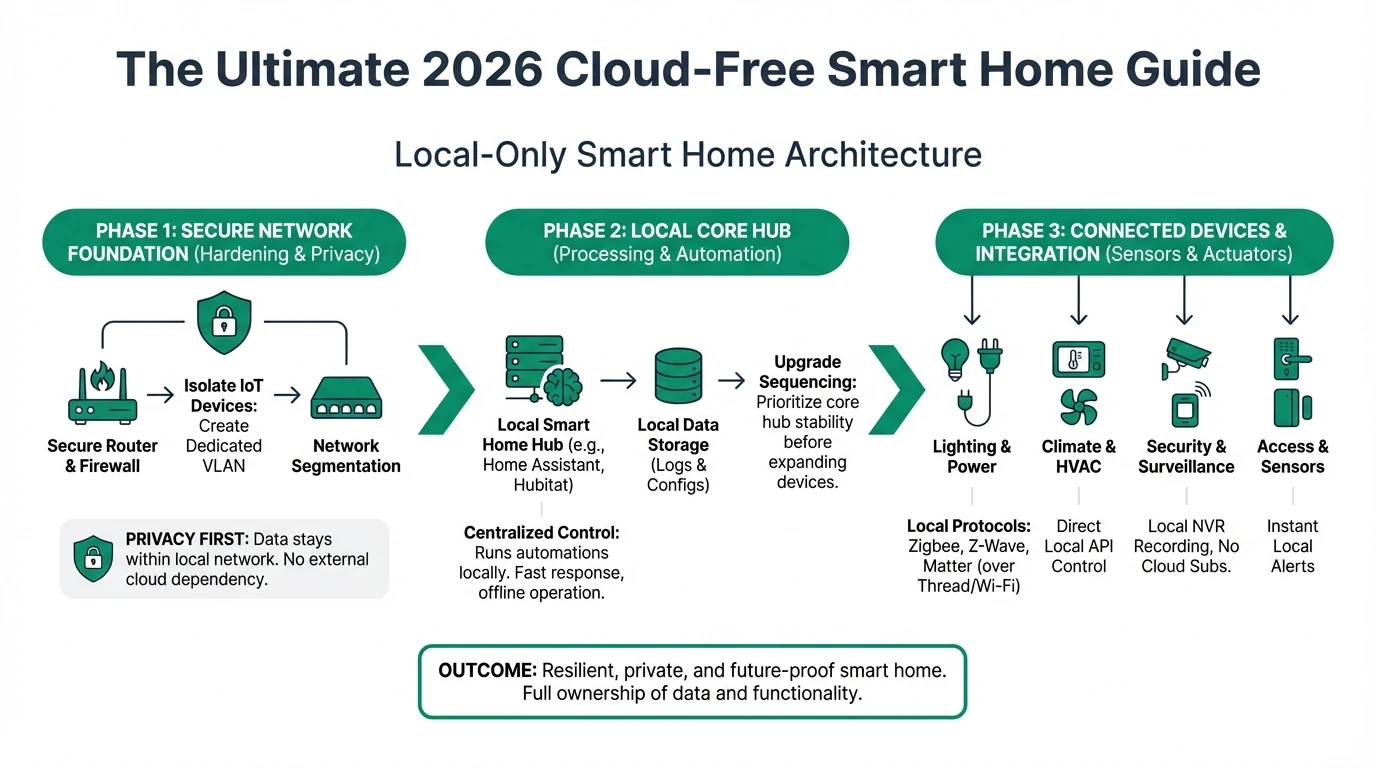
Working checklist: mDNS across IoT VLANs on OPNsense
- Document VLAN IDs, subnets, and which interfaces need discovery before enabling the repeater.
- Install os-mdns-repeater; start with two interfaces (Automation + IoT).
- Add UDP 5353 pass rules only on those interfaces—avoid Guest.
- Confirm Home Assistant can initiate control sessions to IoT (stateful pass rules).
- Add static DNS names for HA and core servers to reduce daily multicast reliance.
- Capture 60 seconds of MDNS traffic after changes; look for storms or duplicates.
- Export OPNsense config to git after successful validation.
- Schedule quarterly review when upgrading past 24.7.x firmware.
FAQ
Frequently Asked Questions
Does os-mdns-repeater work on pfSense?
pfSense uses a separate Avahi package with similar goals. This guide focuses on OPNsense os-mdns-repeater; pfSense operators should mirror interface-scoped reflection and UDP 5353 rules on their platform documentation.
How many VLANs can one OPNsense repeater bridge?
The plugin supports between 2 and 5 interfaces. Selecting more can crash the service or cause port 5353 bind conflicts. Prefer two subnets before expanding.
Will mDNS relay break my IoT firewall isolation?
It exposes Bonjour service names across subnets but does not open TCP by itself. Keep deny-by-default east-west rules and exclude guest VLANs from the repeater.
Do I still need firewall rules if the repeater is enabled?
Yes. Allow Home Assistant to reach device APIs after discovery. mDNS is discovery only.
Can I use static DNS instead of mDNS?
Static local DNS helps fixed hosts. Roaming phones and casting often still need scoped multicast relay during setup or daily use.
Why does Home Assistant see devices but integrations fail?
Discovery on UDP 5353 succeeded while TCP/MQTT/HTTP is blocked. Add direction-aware pass rules from the Home Assistant IP toward device endpoints.
Primary sources
| ID | Title / description | URL |
|---|---|---|
| 1 | OPNsense — Multicast DNS Proxy how-to | docs.opnsense.org |
| 2 | RFC 6762 — Multicast DNS | datatracker.ietf.org |
| 3 | RFC 6763 — DNS-Based Service Discovery | datatracker.ietf.org |
| 4 | os-mdns-repeater plugin description | github.com/opnsense/plugins |
| 5 | Home Assistant — Configuration / networking | home-assistant.io |
| 6 | MITRE ATT&CK — Network Service Discovery | attack.mitre.org |
Verdict
For privacy-conscious Home Assistant operators on OPNsense, mdns across VLANs should mean os-mdns-repeater on two to three interfaces, Guest excluded, UDP 5353 scoped, and Home Assistant-initiated control rules—not a return to a flat LAN. Marcus’s pattern (Automation + IoT reflection, static DNS for daily HA access, deny-by-default otherwise) is the position we recommend in May 2026 unless you have a single-VLAN lab.
Next steps: Harden east-west rules in the IoT VLAN firewall guide, then revisit mDNS discovery privacy if you add cameras or casting VLANs.
Footnotes
-
opnsense/plugins GitHub issue #1993 documents interface limits and
bind()failures on UDP 5353. ↩ ↩2 ↩3 ↩4 ↩5 -
DNS-SD service types such as
_hap._tcpand Matter-related records are defined in RFC 6763. ↩ -
OPNsense Multicast DNS Proxy documentation, accessed 27 May 2026. ↩ ↩2 ↩3
-
opnsense/plugins
mdns-repeaterpackage description, stable branch 24.7. ↩ ↩2 ↩3 -
Operator write-ups (January–May 2026) describe Avahi reflector VMs with pinhole firewall rules as an alternative to broad multicast allows. ↩