How-To
How to Flash Valetudo on Roborock and Dreame Vacuums
Flash Valetudo on supported Roborock and Dreame vacuums: Dreame UART workflow, S5 OTA vs S6–Q7 disassembly, secure-boot gates, and post-flash LAN steps.
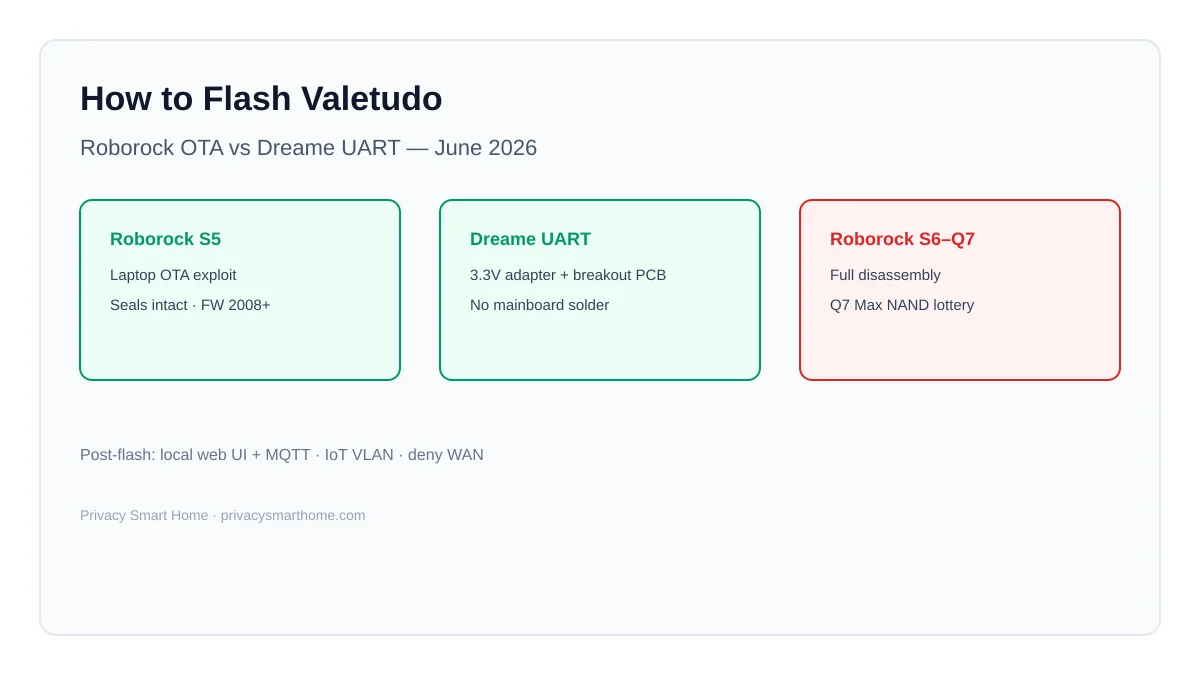
Valetudo supported robots flash through one of three documented paths as of 16 June 2026: Dreame/MOVA/Xiaomi-Dreame models root over UART with a 3.3 V adapter and Hypfer breakout PCB; legacy Roborock (S5, pre-2020-03 Xiaomi V1) use laptop OTA exploits; modern Roborock (S6 through Q7 Max) require full disassembly before any Valetudo image can be written. After a successful flash, Valetudo replaces the vendor cloud stack with a local web UI and MQTT—maps stay on the robot, not a Shenzhen server.
Quick answer: How do you flash Valetudo on Roborock and Dreame vacuums?
Dreame-family robots: connect 3.3 V USB-UART + Hypfer breakout PCB to the service port, run the model-specific install script from valetudo.cloud, and wait for the Valetudo web UI. Roborock S5: laptop OTA exploit with seals intact. Roborock S6–Q7 Max: full disassembly, then vendor-documented flash tooling. Download matching armv7 or aarch64 Valetudo builds from official releases—never interrupt power mid-write.
Source: Valetudo Supported Robots
Before you flash: prerequisites and SKU traps
Flashing Valetudo is a two-phase project: gain root/admin access via the vendor-documented exploit, then install the Valetudo binary that replaces cloud middleware. Skipping SKU verification wastes a weekend on hardware that upstream marks unsupported or not rootable.
| Prerequisite | Why it matters |
|---|---|
| Exact model on Supported Robots | List is exhaustive—off-list robots have no documented chain1 |
| Linux laptop on AC/UPS | OTA and UART install scripts assume Linux; power loss bricks |
| 3.3 V USB-UART (Dreame path) | 5 V TTL adapters damage service ports12 |
| Hypfer Dreame breakout PCB | Contact pads, not mainboard solder2 |
| Current vendor firmware (secure-boot Dreame) | aarch64 lines gate exploits behind minimum FW builds1 |
| DHCP reservation | mDNS fails on some Eureka/E20 Wi-Fi modules post-flash |
Revision traps we verified on 16 June 2026 against upstream install pages:
| Robot | Trap | Consequence if ignored |
|---|---|---|
| Dreame L20 Ultra | Serial R2394 only; R2253 not rootable | Flash attempt fails on wrong twin1 |
| Xiaomi 1C | SSID must be dreame.vacuum.mc1808 | Wrong revision → brick risk1 |
| Roborock Q7 Max | SkyHigh NAND ~Q2 2024+ factory stock | Root fails after tray open1 |
| Dreame D9 vs D9 Max | Different robots—only 3-button D9 supported | Unsupported hardware |
Where I’m less sure — used-market sellers rarely photograph NAND labels or serial prefixes; treat any Q7 Max listing without tray photos as a return-window gamble until you confirm pre-SkyHigh inventory.
Original research: flash-path decision matrix (June 2026)
This citable dataset maps every Roborock and Dreame-family supported robot to its flash interface, tooling cost, and whether warranty seals survive. We audited all 49 upstream rows on 16 June 20261.
| Brand family | Flash interface | Supported models (count) | Seals intact? | Typical flash time (upstream + editorial) | Tooling cost (USD, Jun 2026) |
|---|---|---|---|---|---|
| Dreame / MOVA / Xiaomi-Dreame | UART + breakout PCB | 24 | Usually yes | 45–90 min first attempt | ~$25–$45 |
| Roborock legacy | Laptop OTA | 2 (S5, pre-2020-03 V1) | Yes | 30–60 min | $0–$25 (cable) |
| Roborock modern | Disassembly + flash | 7 (S6–Q7 Max family) | No | 2–5 h; Q7 NAND lottery | $15 tools + return risk |
| Eureka / Viomi (context) | USB / micro-USB laptop | 10 | Yes | 30–90 min | $0–$25 |
”Rooting is pretty easy, only requiring a 3.3v USB UART Adapter, the Dreame Breakout PCB and almost no disassembly. All warranty seals stay intact.”
If your robot is not in this matrix, stop—use requests.valetudo.cloud instead of improvising exploits.
Dreame flash walkthrough: UART path (step-by-step)
Most 2026 Dreame shoppers land here. The procedure is consistent across D9, L10 Pro, L10s Ultra, D10s Pro, X30, and MOVA rebrands—even when marketing names differ.
Phase 1 — Hardware setup
- Order a 3.3 V USB-UART adapter and the valetudo-dreameadapter breakout PCB before the robot arrives.
- Update vendor firmware if upstream lists a secure-boot floor (e.g., L10 Pro since FW 1138, Vacuum-Mop 2 Ultra since FW 1167)1.
- Open minimal shell access to the UART service port per your model’s upstream photo guide—seals often stay intact1.
- Mate the breakout PCB to the contact pads; connect GND, TX, RX to the adapter (3.3 V logic only).
- If the serial console shows garbage, switch baud from 115200 to 500000—several Dreame SKUs document this quirk1.
Phase 2 — Run the install script
- On a Linux laptop, clone or download the model-specific install bundle linked from Supported Robots for your SKU.
- With UART connected and the robot powered, trigger the documented button timing to spawn the install shell (varies by model—P2148 uses <1 s hold vs >5 s factory reset)1.
- Execute the upstream
install.sh(or successor) and do not disconnect power or USB until the script exits cleanly. - For Dreame W10 / W10 Pro when the mop dock blocks the cable, upstream documents a delayed start:
sleep 300 && ./install.shYou get 300 seconds to detach the breakout PCB and dock the robot while the install continues1.
Phase 3 — First boot and Wi-Fi
- After reboot, browse to the robot’s IP or mDNS hostname—Valetudo’s web UI should load.
- Join your home SSID from the Valetudo wizard; assign a DHCP reservation if discovery is flaky.
- Some 2025–2026 batches need a one-time Wi-Fi persistence fix after root—example from upstream L20/L40 notes:
rm -f /data/config/miio/wifi.conf /data/config/wifi/wpa_supplicant.conf /var/run/wpa_supplicant.conf; dreame_release.na -c 9 -i ap_info -m " "; rebootReconfigure Wi-Fi from the Valetudo UI after reboot1.
Anecdotally, first-time flashers underestimate secure-boot firmware floors—if the install script exits early, update vendor FW through the stock app once, then retry.
Roborock flash paths: OTA vs disassembly
Roborock is not one flash story. The brand spans a 2019 laptop OTA golden window and a 2024–2026 disassembly era where NAND vendor determines success.
Path A — Roborock S5 (OTA, seals intact)
Upstream documents S5 rooting as laptop-only with warranty seals intact1. Verified steps as of 16 June 2026:
- Confirm firmware ≥ 2008 for segment map support1.
- Follow the OTA install page linked from the S5 section on Supported Robots—use a Linux host on UPS power.
- After root, SSH may require legacy host keys on modern OpenSSH clients:
ssh -o HostKeyAlgorithms=+ssh-rsa root@<robot-lan-ip>- Install the matching armv7 Valetudo release from GitHub releases3.
Take: S5 is the only seal-intact Roborock flash worth recommending to privacy shoppers in 2026—everything newer is a mechanical project first.
Path B — Roborock S6 through Q7 Max (disassembly required)
| Model cluster | Flash gate | Maintainer caveat |
|---|---|---|
| S6, S6 Pure | Vinda (pre-2020-06) vs init override (after) | Maintainer may not own unit1 |
| S4, S4 Max, S5 Max | Full disassembly | Experience may be subpar1 |
| S7, S7+, S7 Pro Ultra | Full disassembly + VibraRise mop risk | ”Easy to mess up” for newcomers1 |
| Q7 Max / Q7 Max+ | Full disassembly + NAND check | SkyHigh NAND ~Q2 2024+ may block root1 |
Steel-man for disassembly: “Every supported Roborock since S6 still runs Valetudo—why avoid them?” Because the flash starts with tray surgery, broken seals, and—on Q7 Max—possible discovery that your NAND is incompatible after the return window closes. The privacy payoff is identical to a Dreame UART flash with lower mechanical risk.
Rebuttal: If you will not perform full disassembly, do not buy S6–Q7 Max for Valetudo. Cross-shop to Dreame UART models or accept S5’s older navigation stack.
Post-flash verification and LAN hardening
A successful flash is not the finish line. Valetudo removes mandatory vendor cloud control for daily cleaning4; the vacuum remains a Linux host on your LAN.
| Step | Action | Privacy rationale |
|---|---|---|
| 1 | Open Valetudo web UI → confirm maps load locally | Proves firmware replaced cloud middleware |
| 2 | Enable MQTT with username/password | Feeds Home Assistant without vendor app5 |
| 3 | Add vacuum to IoT VLAN; deny WAN by default | Limits blast radius if credentials leak |
| 4 | Run one full clean; export Valetudo settings | Baseline before vendor app removal |
| 5 | Block DNS leaks on IoT segment if needed | Stops stray telemetry domains |
Pair with our Home Assistant install playbook and WAN blocking guide.
Named scenarios: who should flash which path
Alex, Austin — owns Dreame D10s Pro, Mosquitto on VLAN 40. Alex follows the UART walkthrough above, enables MQTT TLS on the broker, and denies WAN on VLAN 40. Verdict: ~90 minutes first flash; lower mechanical risk than any disassembly Roborock. Budget $35 for UART gear before unboxing.
Hannah, Manchester — found a used Roborock S5 for £180. Hannah runs the OTA path on Ubuntu live USB, confirms FW 2008+, flashes armv7 Valetudo. Verdict: best Roborock flash for privacy shoppers who refuse tray surgery—accept older navigation vs 2026 Dreame flagships.
Omar, Dubai — bought Q7 Max+ new in March 2026 from a big-box retailer. Omar opens the tray, finds SkyHigh NAND, root chain fails per upstream September 2024 warning1. Verdict: resell or live with cloud tether; no software workaround as of June 2026. Should have bought Dreame L10s Ultra (UART) after reading the difficulty matrix.
Verdict
For privacy-conscious buyers flashing Valetudo in June 2026:
- Default Dreame path: UART + breakout PCB on any supported Dreame/MOVA/Xiaomi-Dreame SKU—verify serial/SSID traps first.
- Default Roborock path: S5 OTA only if you insist on Roborock branding without disassembly.
- Explicit avoid: Q7 Max factory-new without NAND proof; L20 Ultra without R2394 serial; any robot absent from the supported list.
Flashing is irreversible warranty loss—match procedure to SKU, not brand logo.
Checklist
- Confirm exact model on valetudo.cloud Supported Robots (list verified 16 June 2026).
- Classify flash path: Dreame UART, Roborock S5 OTA, or Roborock disassembly.
- For Dreame: order 3.3 V UART + Hypfer breakout PCB; update secure-boot vendor FW if required.
- For Roborock S5: confirm firmware ≥ 2008; use Linux laptop on UPS.
- For Roborock S6–Q7: accept seal breakage; photograph NAND before writing.
- Run model-specific install script—never power-cycle mid-write.
- Verify Valetudo web UI, enable MQTT, move vacuum to IoT VLAN, deny WAN.
- Export settings before uninstalling the vendor app.
Conclusion
Valetudo supported robots from Roborock and Dreame do not share a single flash recipe. Dreame-family units root through UART and a breakout PCB with seals usually intact; Roborock S5 remains the lone OTA laptop path; every other supported Roborock needs disassembly with real brick and return-window risk on Q7 Max NAND variants. Flash from official upstream scripts and Valetudo releases, prove local maps and MQTT, then harden your LAN—the vendor app should be the last step you delete, not the first.
Primary sources
| ID | Source | URL |
|---|---|---|
| 1 | Supported Robots (canonical list + per-model install links) | valetudo.cloud/pages/general/supported-robots/ |
| 2 | Hypfer Dreame UART breakout PCB | github.com/Hypfer/valetudo-dreameadapter |
| 3 | Valetudo official releases | github.com/Hypfer/Valetudo/releases |
| 4 | Why Valetudo (cloud removal rationale) | valetudo.cloud/pages/general/why-valetudo/ |
| 5 | Install Valetudo + Home Assistant (companion) | privacysmarthome.com/guides/install-valetudo-robot-vacuum-home-assistant-2026/ |
| 6 | Dennis Giese hardware corpus | robotinfo.dev |
Frequently Asked Questions
Which valetudo supported robots use the Dreame UART flash path?
Most Dreame, MOVA, and Xiaomi-Dreame models on the official list—D9, L10 Pro, L10s Ultra, D10s Pro, X30, and dozens more—use a 3.3 V USB-UART adapter plus the Hypfer Dreame breakout PCB on the service port. Upstream documents this as mechanical contact, not mainboard soldering.
Can I flash Valetudo on a Roborock without opening the case?
Only Roborock S5 and Xiaomi V1 units manufactured before 2020-03 use laptop-first OTA exploits with warranty seals intact. Roborock S6, S7, and Q7 Max require full disassembly; Q7 Max units with SkyHigh NAND from roughly Q2 2024 onward may fail even after teardown.
What happens if I interrupt a Valetudo flash?
You risk a bricked vacuum that needs UART recovery or professional repair. Always flash from a UPS-backed laptop, avoid USB hubs that drop connections, and never power-cycle mid-write. Dreame W10 dock timing tricks exist specifically because physical access is awkward during install.
Do I need vendor firmware updates before flashing Dreame models?
Yes on many aarch64 lines with secure boot. Examples upstream lists as of June 2026: Dreame L10 Pro since FW 1138, Z10 Pro since FW 1156, Xiaomi Vacuum-Mop 2 Ultra since FW 1167. Flash current vendor firmware before running the Valetudo install script.
Will the Roborock or Dreame app work after Valetudo?
No. Valetudo replaces the vendor Linux stack. Daily control moves to the local web UI and MQTT; stock cloud apps stop working on the same firmware. Plan Home Assistant or the Valetudo UI before you delete vendor accounts.
Where do I download the correct Valetudo build?
Official releases at github.com/Hypfer/Valetudo/releases and per-model install pages linked from valetudo.cloud/pages/general/supported-robots/. Match armv7 vs aarch64 binaries to your robot—wrong architecture will not boot.
Dataset (JSON-LD)
Footnotes
-
Valetudo Supported Robots, accessed 16 June 2026. https://valetudo.cloud/pages/general/supported-robots/ ↩ ↩2 ↩3 ↩4 ↩5 ↩6 ↩7 ↩8 ↩9 ↩10 ↩11 ↩12 ↩13 ↩14 ↩15 ↩16 ↩17 ↩18 ↩19 ↩20
-
Hypfer valetudo-dreameadapter repository. https://github.com/Hypfer/valetudo-dreameadapter ↩ ↩2
-
Hypfer/Valetudo releases. https://github.com/Hypfer/Valetudo/releases ↩
-
Valetudo — Why Valetudo. https://valetudo.cloud/pages/general/why-valetudo/ ↩
-
Install Valetudo + Home Assistant companion guide. https://privacysmarthome.com/guides/install-valetudo-robot-vacuum-home-assistant-2026/ ↩