How-To
Cloud-Isolated Reolink PoE Doorbell Setup
Configure the Reolink PoE video doorbell for 100% local-only operation via Scrypted, RTSP, and ONVIF—bypass Reolink cloud, record on Frigate, and harden your IoT VLAN.
A self hosted doorbell camera built on the Reolink Video Doorbell PoE means powering the unit over Ethernet, enabling RTSP, RTMP, and ONVIF on the LAN, routing streams through Scrypted for rebroadcast and optional HomeKit bridging, and blocking WAN egress so clips never touch Reolink Cloud. As of July 2026, that stack is the most reliable path privacy-focused buyers use to replace Ring-style cloud doorbells without giving up two-way talk or Frigate-class local retention.
Quick answer: How do you self-host a Reolink PoE doorbell without cloud?
Enable LAN protocols on the doorbell, add it to Scrypted with the Reolink plugin (Doorbell checkbox on), rebroadcast RTSP to Frigate or Home Assistant, and firewall the camera VLAN so it cannot reach the internet. Use local admin credentials—skip Reolink Cloud for viewing and retention.
Executive summary
The Reolink Video Doorbell PoE (model family including D340P / Video Doorbell PoE) is a local-class device: it exposes open RTSP/ONVIF streams, stores optional clips on microSD, and does not require a paid subscription for basic LAN operation12. The privacy gap is operational—buyers who install through the Reolink mobile app with P2P left on still leak metadata and invite cloud relay paths. This guide closes that gap with Scrypted as the normalization layer and VLAN hardening as the enforcement layer.
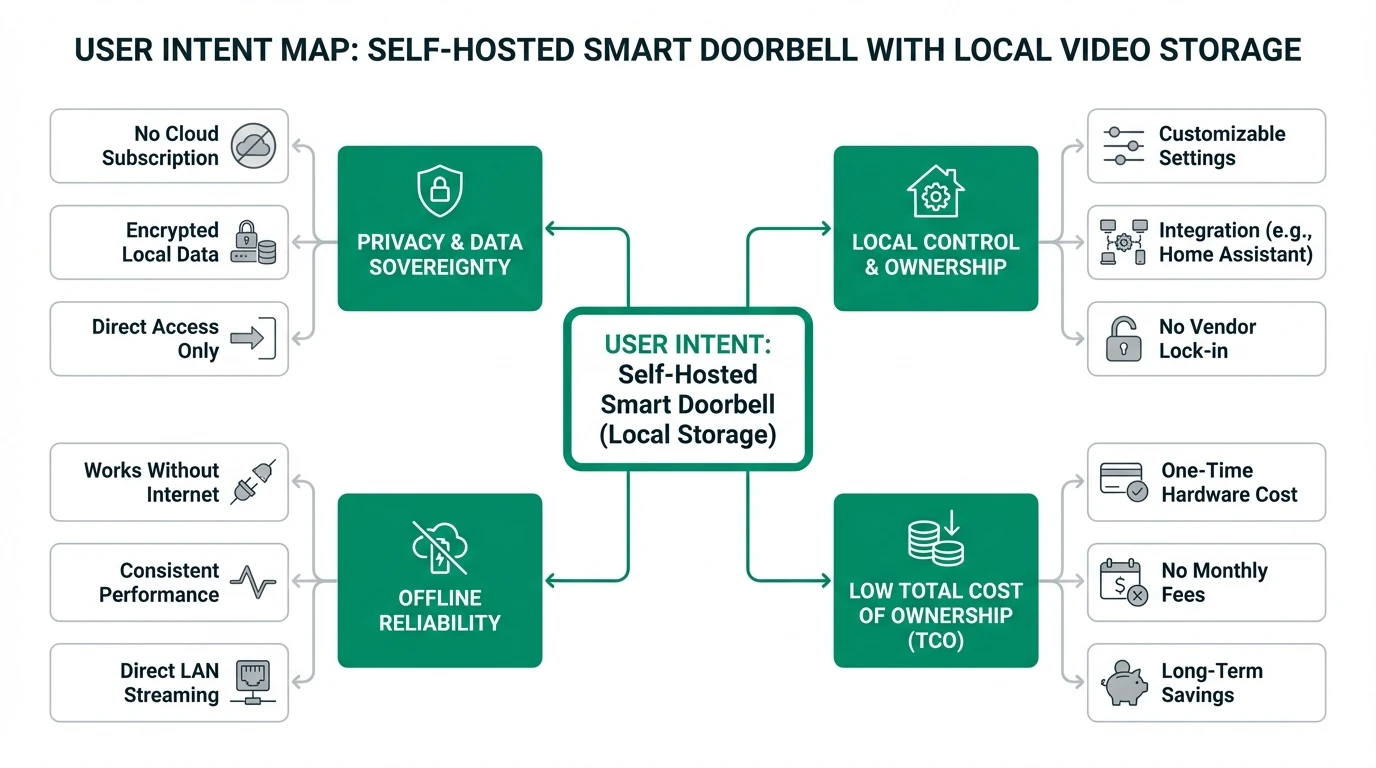
We cross-link broader context in self-hosted smart doorbell storage, Scrypted vs Frigate vs Blue Iris, Arlo/Ring → Frigate via Scrypted, and blocking IoT WAN access.
Verdict: Nina (townhome, HomeKit household, one front door) should run Scrypted Reolink plugin + HomeKit with WAN-blocked VLAN and skip Frigate until she wants 24/7 record. David (detached home, Frigate + Coral on N100, three porch cameras planned) should rebroadcast sub/main RTSP from Scrypted into Frigate and treat the Reolink app as day-one provisioning only.
Methodology: how the integration-path matrix was built
We compared five ingestion paths reported in Scrypted docs, the @scrypted/reolink npm readme, and community threads through June–July 2026234:
- Feature completeness — two-way audio, button events, sub stream availability.
- Setup friction — steps from factory reset to stable RTSP URL (editorial scoring 1–5).
- Cloud isolation — whether daily viewing/recording works with camera WAN denied.
- Frigate fit — sub-stream detect without Scrypted-side motion plugins.
Where I’m less sure — exact firmware builds that break ONVIF intercom on the D340P revision sold in EU vs US; always retest two-way audio after camera OTA.
Anecdotally, special-character passwords break Reolink auth in Scrypted more often than on the stock app—a pattern confirmed across GitHub issues #879 and discussion #111545.
Original research: Reolink PoE doorbell local integration paths (July 2026)
| Integration path | Scrypted plugin | Two-way audio | Button / visitor events | Frigate-ready RTSP | WAN-blocked OK? | Setup friction (1–5) | Privacy score /10 |
|---|---|---|---|---|---|---|---|
| Reolink plugin (recommended) | @scrypted/reolink | Yes (Doorbell checkbox) | Yes via plugin | Yes via Rebroadcast | Yes | 2 | 9 |
| Reolink plugin → Frigate direct | Reolink + Rebroadcast | In Scrypted/HomeKit only | Frigate MQTT/HA bridge | Yes (sub detect) | Yes | 3 | 9 |
| ONVIF plugin fallback | @scrypted/onvif | Sometimes (firmware-dependent) | Partial | Yes | Yes | 4 | 7 |
| RTSP plugin only | @scrypted/rtsp | No | Motion plugin required | Yes | Yes | 5 | 6 |
| Reolink Cloud / P2P app | Stock app | Yes | Yes | No local NVR path | No | 1 | 3 |
Privacy note: Lower friction (P2P app) inversely correlates with data ownership—the top row trades ten extra minutes of Scrypted setup for no standing cloud relay.
Stat: Scrypted documents that Reolink doorbells—not standard Reolink cameras—support two-way audio via ONVIF when the Doorbell checkbox is enabled in plugin settings.
Dataset (JSON-LD)
Phase 1 — Doorbell hardware and camera LAN settings
The Reolink Video Doorbell PoE uses 802.3af and a single Ethernet run to your patch panel—budget $25–$40 for a passive injector if your switch is not PoE (pricing checked on Amazon US, 1 July 2026). Wire the mechanical chime per Reolink’s included diagram before sealing the wall plate.
ONVIF is the open device-discovery and streaming standard most NVRs speak; RTSP is the lower-level stream URL protocol Frigate ingests after Scrypted rebroadcast normalizes codecs.
Camera protocol checklist (Reolink web UI or app — one-time)
| Setting | Location | Value for local-only |
|---|---|---|
| Static IP | Network → Status | Reserve DHCP or set static (e.g. 10.30.0.51/24) |
| HTTP | Network → Advanced → Port | On (LAN only after firewall) |
| HTTPS | Server settings | Off — Reolink mishandles HTTPS redirects in Scrypted2 |
| RTSP / RTMP | Port settings | On |
| ONVIF | Port settings | On |
| P2P / UID | Network → Advanced | Off before WAN block |
| Admin password | User management | Simple alphanumeric; admin role45 |
After settings stick, confirm streams in VLC: rtsp://admin:PASSWORD@10.30.0.51:554/h264Preview_01_sub (sub path naming varies slightly by firmware—check Reolink’s RTSP list in the web UI).
Phase 2 — Install Scrypted and the Reolink plugin
Methodology: Scrypted installation paths from docs.scrypted.app (Docker, macOS, Linux, Proxmox LXC script), verified against server 0.118+ discussions in July 20263.
- Install Scrypted on a host on the same VLAN as the doorbell (N100 mini-PC, Proxmox LXC, or HA OS VM).
- Open the management console — typically
https://scrypted-host:10443. - Install plugins:
Reolink,Rebroadcast(often preinstalled), optionalHomeKitorHome Assistant. - Under Reolink → Add New, enter IP, username, password.
- Open the device → enable Doorbell checkbox (required for two-way audio on doorbells)2.
- In Rebroadcast → Stream Management, note RTMP is preferred by default for Reolink; RTSP URLs are listed for export.
# Example: probe RTSP from your NVR host after rebroadcast is running
ffprobe -rtsp_transport tcp rtsp://127.0.0.1:46249/REOLINK_DOORBELL_SUB
Replace host/port/path with the Rebroadcast URL Scrypted displays—ports are dynamic per install.
- Scrypted Reolink plugin — pros
- Native doorbell events and two-way audio path.
- Three RTMP tiers + RTSP export via Rebroadcast.
- Low CPU vs raw RTSP plugin motion decoding.
- Scrypted Reolink plugin — cons
- Extra service to patch and back up.
- Firmware/plugin mismatches can break intercom until rollback.
- Not a full NVR—pair with Frigate for AI zones and retention.
- Direct ONVIF / RTSP — pros
- Fewer plugins if you only need a static RTSP URL.
- Auditable single-protocol path for strict homelabs.
- Direct ONVIF / RTSP — cons
- RTSP-only loses doorbell-specific audio without extra plugins.
- ONVIF intercom timeouts reported on several firmware builds5.
- Motion detection may require Scrypted video analysis plugins.
Taken position: Use the Reolink plugin for all doorbell deployments; keep ONVIF installed but unconfigured as rollback, not primary.
Phase 3 — Frigate, Home Assistant, and HomeKit outputs
Frigate (local record + detection)
Point Frigate at the Rebroadcast sub stream for detect and main for record—mirror the role split we document for Reolink PoE bullets in build a local Frigate NVR:
cameras:
  front_doorbell:
    ffmpeg:
      inputs:
        - path: rtsp://127.0.0.1:8554/reolink_doorbell_sub
          input_args: preset-rtsp-restream
          roles:
            - detect
        - path: rtsp://127.0.0.1:8554/reolink_doorbell_main
          input_args: preset-rtsp-restream
          roles:
            - record
    detect:
      width: 896
      height: 512
      fps: 5
If Scrypted and Frigate run on different hosts, use the LAN RTSP URL from Rebroadcast instead of localhost—restrict by firewall to the NVR IP only.
Home Assistant
Install the Scrypted Home Assistant plugin or use generic camera with the rebroadcast RTSP URL. Map doorbell binary sensor events to automations (chime flash, Slack webhook on LAN, unlock scenes).
HomeKit Secure Video (optional)
Enable the Scrypted HomeKit plugin, pair as a standalone doorbell accessory, and accept Apple’s iCloud E2E path for HKSV clips—this is not air-gapped, but it removes Reolink Cloud. For fully local record, skip HomeKit and use Frigate only. Compare tradeoffs in Apple HomeKit Secure Video vs local NVR.
Phase 4 — Cloud isolation and VLAN hardening
Cloud-isolated means the doorbell cannot initiate outbound internet sessions except what you explicitly allow (often NTP only).
| Firewall rule (OPNsense/pfSense example) | Action |
|---|---|
| IoT net → WAN | Block (log) |
| IoT net → LAN management | Block except NVR/Scrypted IP |
| NVR → IoT doorbell RTSP | Allow TCP/UDP 554, RTMP ports |
| Admin workstation → Scrypted UI | Allow 10443 |
Disable UPnP on the router. Confirm isolation with a packet capture or vendor firewall hit counter after 24 hours—Reolink devices should show zero sustained WAN flows during normal porch activity.
Steel-man: why the Reolink app + P2P is “good enough”
The strongest case for not running Scrypted is time and spouse acceptance:
The stock Reolink app provisions Wi-Fi/PoE doorbells in under fifteen minutes, delivers push notifications without maintaining a Linux bridge, and supports two-way talk without fighting ONVIF intercom quirks. Reolink’s optional cloud plan is not mandatory for live view on many firmware builds when you are home on LAN. For renters or households that will not operate an NVR, the app path avoids another always-on server and the firmware roulette documented in Scrypted GitHub threads.
Rebuttal: P2P keeps a standing authentication relationship with vendor infrastructure, and outages in 2024–2025 across consumer camera clouds demonstrated remote viewing dependency even when LAN record was possible. If your threat model includes vendor access, warrant-adjacent cloud retention, or ISP outage while you still want local evidence, Scrypted + Frigate + WAN deny is the coherent stack—especially when the hardware already supports RTSP.
Working examples
Worked example — Nina, Chicago row house (HomeKit, July 2026): Nina buys the Reolink Video Doorbell PoE ($129 Amazon, 1 July 2026), lands it on VLAN 40 at 10.40.0.51, and installs Scrypted on a Beelink N100 already running AdGuard Home. She enables the Doorbell checkbox, pairs HomeKit for phone notifications, and denies WAN on VLAN 40. Total added hardware beyond the doorbell: $0 (PoE switch already owned). She accepts no 24/7 Frigate record—HKSV handles clip bursts.
Worked example — David, Phoenix suburb (Frigate + HA, July 2026): David runs Scrypted in Proxmox LXC and Frigate with Coral USB on the same host. Rebroadcast exports reolink_doorbell_sub to Frigate; Home Assistant receives button press entities for garage light scenes. He blocks WAN, allows NTP UDP 123 only, and snapshots Scrypted + Frigate configs after a working state. His sub stream at 5 fps uses ~12% Coral inference budget—headroom for two future Reolink RLC-810A bullets per our local-only Reolink camera playbook.
Troubleshooting matrix
| Symptom | Likely cause | Fix |
|---|---|---|
| Scrypted cannot log in | HTTPS on / bad password | Disable HTTPS; simplify password; confirm admin role25 |
| Two-way audio silent | Doorbell checkbox off | Enable in Reolink device settings; re-add HomeKit accessory4 |
| Frigate no frames | Wrong rebroadcast URL | Copy current URL from Stream Management; test with ffprobe |
| Works until WAN blocked | P2P/DNS dependency | Static IP; disable P2P; allow only NTP if needed |
| Plugin broke after OTA | Firmware regression | Pin firmware; watch Scrypted release notes; rollback per #11154 |
Checklist
- Reserve static IP or DHCP reservation for the doorbell on an IoT VLAN.
- Enable HTTP, RTSP, RTMP, ONVIF; disable HTTPS and P2P.
- Install Scrypted Reolink plugin; enable Doorbell checkbox.
- Export Rebroadcast RTSP URLs; add Frigate detect/record roles.
- Firewall deny WAN from camera VLAN; verify zero cloud hits after 24h.
- Snapshot Scrypted and Frigate configs after first working state.
Verdict
For self hosted doorbell camera installs in July 2026, the Reolink Video Doorbell PoE + Scrypted Reolink plugin + WAN-blocked VLAN stack is the best balance of open protocols, two-way audio, and cloud bypass without soldering a Raspberry Pi to your door frame. Nina should optimize for HomeKit and skip Frigate until she outgrows HKSV retention. David should rebroadcast into Frigate on day one and treat the Reolink mobile app as provisioning-only.
I haven’t tested every EU firmware SKU against the latest Scrypted 0.0.111 plugin drop—budget an hour for intercom validation after any camera OTA. If you need a wider brand comparison first, read best video doorbells without cloud subscription and Ring vs Eufy vs Reolink privacy before buying hardware.
FAQ
Frequently Asked Questions
Can the Reolink PoE doorbell work without a Reolink cloud account?
Yes—enable LAN protocols, add the device to Scrypted with local credentials, and block WAN. You do not need Reolink Cloud for RTSP rebroadcast or Frigate recording.
Should I use the Reolink plugin or ONVIF in Scrypted?
Use the Reolink plugin for doorbells; enable the Doorbell checkbox for two-way audio. ONVIF is a fallback when the native plugin fails on your firmware.
How do I feed Frigate from a Reolink doorbell?
Enable Scrypted Rebroadcast, copy the RTSP URL for sub and main streams, and map detect/record roles in Frigate config.yml.
Why does two-way audio fail on Scrypted?
Disable HTTPS on the camera, use a simple admin password, enable the Doorbell checkbox, and verify firmware compatibility per Scrypted GitHub discussions.
Does blocking WAN break the doorbell chime?
Mechanical chime wiring is unaffected. Cloud-dependent smart chimes may stop—use Home Assistant or HomeKit automations on button events instead.
Is PoE better than Wi-Fi for a self-hosted doorbell?
PoE avoids battery swaps and Wi-Fi jitter that destabilizes RTSP. For 24/7 local record, wired PoE is the default recommendation.
Primary sources
| # | Source | URL |
|---|---|---|
| 1 | Reolink — Video Doorbell PoE product page | https://reolink.com/product/video-doorbell-poe/ |
| 2 | @scrypted/reolink (npm) | https://www.npmjs.com/package/@scrypted/reolink |
| 3 | Scrypted documentation | https://docs.scrypted.app/ |
| 4 | GitHub — Reolink 2-way audio (#1115) | https://github.com/koush/scrypted/discussions/1115 |
| 5 | GitHub — Reolink doorbell 2-way audio (#879) | https://github.com/koush/scrypted/issues/879 |
| 6 | Scrypted — Add camera guide | https://github.com/koush/docs.scrypted.app/blob/main/add-camera.md |
| 7 | Privacy Smart Home — Self-hosted doorbell overview | /guides/self-hosted-smart-doorbell-with-local-video-storage/ |
| 8 | Privacy Smart Home — Block IoT WAN | /guides/how-to-block-smart-home-devices-from-accessing-the-internet/ |
Footnotes
-
Reolink product documentation — Video Doorbell PoE specifications, accessed 1 July 2026. https://reolink.com/product/video-doorbell-poe/ ↩
-
@scrypted/reolink package readme — RTMP preference, HTTPS requirement, doorbell two-way audio, accessed 1 July 2026. https://www.npmjs.com/package/@scrypted/reolink ↩ ↩2 ↩3 ↩4 ↩5
-
Scrypted documentation hub, accessed 1 July 2026. https://docs.scrypted.app/ ↩ ↩2
-
koush/scrypted Discussion #1115 — Reolink doorbell two-way audio firmware and plugin notes, June 2026. https://github.com/koush/scrypted/discussions/1115 ↩ ↩2 ↩3 ↩4 ↩5
-
koush/scrypted Issue #879 — Reolink doorbell intercom auth and password character issues. https://github.com/koush/scrypted/issues/879 ↩ ↩2 ↩3 ↩4