Smart Home Privacy
Matter Devices That Still Require Hubs
Which Matter devices still need a hub in 2026? Compare Thread border routers vs proprietary vendor bridges and hub choices that affect local-first privacy.
Quick answer: Which Matter devices still require hubs or bridges in 2026?
Matter reduces—but does not erase—vendor-specific bridges. You still need a Thread border router for Thread devices, and many legacy product lines require the manufacturer's hub to expose Matter at all or to translate older radios. Treat 'Matter' on the box as a transport label; read the fine print for bridge, account, and cloud dependencies.
Executive Summary
If you are upgrading a privacy-first home, the phrase “Matter certified” is a starting point, not a guarantee of a hub-free life. The Connectivity Standards Alliance (CSA) certifies interoperability at the protocol level: devices speak IPv6, use standard clusters, and can share a “fabric” with multiple admins. What CSA certification does not do is forbid vendors from shipping SKUs that only become Matter-capable when they are tethered to that vendor’s bridge, or from continuing Zigbee-only lines that look identical on retail shelves1.
Bottom line: “Matter devices require hub” confusion is really three different questions tangled together: Do I need any infrastructure (often yes — at minimum a controller and, for Thread, a border router)? Do I need this brand’s proprietary bridge to unlock Matter on older hardware or mixed-radio SKUs (sometimes yes)? Do I need a cloud account to keep the system running (depends on the controller, not Matter itself)? Separating those layers is how you avoid paying for a clean local architecture on paper while silently re-importing vendor lock-in through the bridge’s telemetry channel.
The sections below walk through terminology, typical ecosystem patterns, and privacy trade-offs. Where we give a blanket statement about a brand, pair it with the habit of checking model numbers in the CSA database before you buy — marketing pages update slower than firmware1.
Warning: If your goal is “no data leaves the LAN,” the bridge conversation is only half the battle. A proprietary hub that works locally can still phone home for diagnostics, account coupling, or forced updates. Pair Matter planning with network segmentation guidance such as our IoT VLAN primer before you attach new radios to your LAN.
Matter fixed commissioning — it did not delete proprietary bridges
When reviewers say Matter lets devices “talk directly to your Wi-Fi,” they usually describe the happy path: a greenfield Thread or Wi-Fi device, a supported commissioner (Home Assistant, Apple Home, SmartThings, etc.), and no legacy baggage. That story is real for a subset of SKUs, and it is the future the CSA advertises.
The messier reality — especially for whole-home retrofits — is that vendors accumulated years of Zigbee SKU diversity, Bluetooth-only commission flows, and accessory features (gradient scenes, entertainment sync, proprietary sensors) that do not map 1:1 into Matter clusters yet. Bridges exist because they amortize radio diversity: one box speaks multiple PHY layers, stores translation tables, and gives the mobile app a stable place to attach provisioning state.
From a privacy standpoint, bridges are not automatically evil; they are concentration points. A Hue Bridge or Aqara hub can run entirely on your LAN for control plane traffic and still implement outbound calls for account linking, analytics, or certificate pinning. That is why two buyers with identical Matter logos can end up with radically different data custody: one paired through a local-only Home Assistant fabric, another funnelled through a mandatory Alexa or SmartThings account even though Matter frames never leave the subnet for ordinary on/off commands2.
This guide’s recurring theme: bridge needed for Matter is a statement about SKU packaging and firmware gates, not about the abstract protocol. For a deeper protocol read, see our Matter 2.0 local reality check and the Matter vs Zigbee vs Z-Wave vs Thread comparison.
What commissioning still outsources to vendors
Matter’s multi-admin story shines when commissioning finishes entirely between your phone, the accessory, and the commissioner. In production homes, though, you routinely hit steps that are not “pure IP beauty”:
- Factory-default Bluetooth sessions that bounce through a vendor app before the device is allowed onto Thread or Wi-Fi Matter.
- Device attestation and certificate chains that are standardized but still distributed through OEM repositories — meaning firmware fetch or time sync can fail closed if you block the Internet too aggressively during onboarding.
- Feature flags where Matter exposes only baseline clusters today while “Pro” experiences remain on the vendor’s parallel API — tempting you to install their app, which is where analytics SDKs hide.
Those wrinkles explain why two shoppers can walk out of the same aisle with different answers to do Matter smart home devices require a hub? The buyer who only owns Matter-native Thread sensors might never see a bridge. The buyer replacing a decade of Zigbee bulbs often must keep the OEM bridge in the loop until every fixture is genuinely Matter-native — a budget and waste problem, not a philosophical one.
Terminology: border router vs bridge vs “hub”
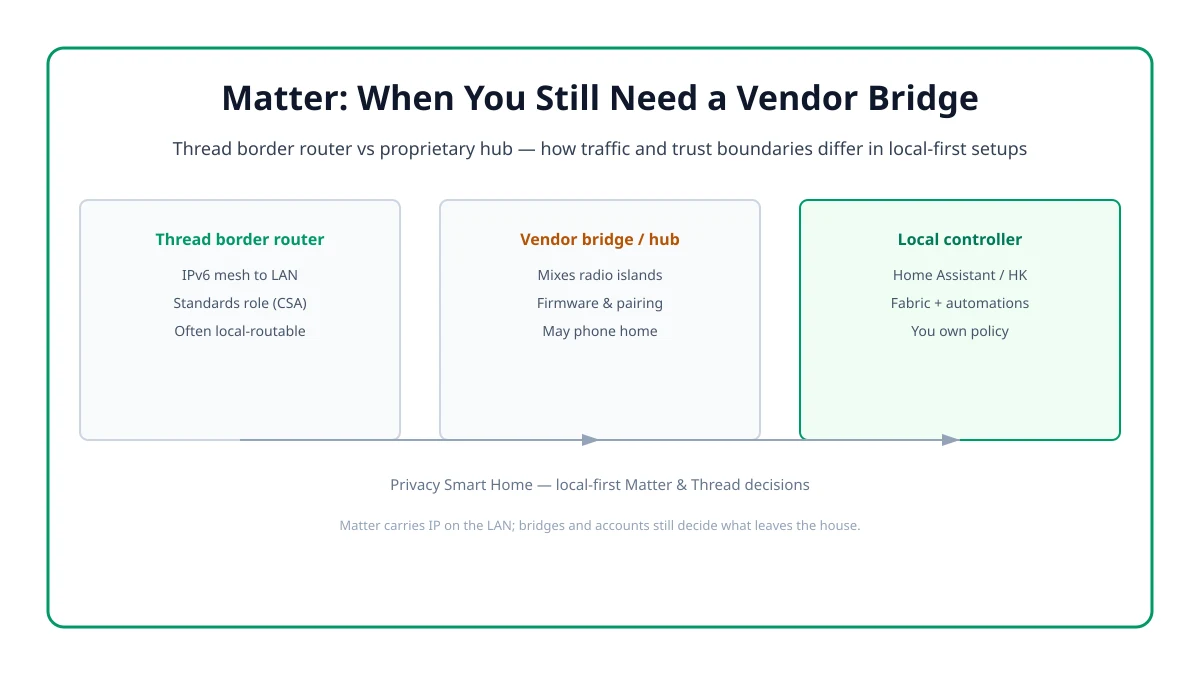
Retail packaging abuses the word “hub.” Technically, your setup might involve several boxes:
| Term | What it actually is | Why shoppers care |
|---|---|---|
| Thread border router | Connects a Thread mesh to your home LAN/IP infrastructure | Mandatory for Thread-based Matter accessories if you do not already have one on-path |
| Vendor bridge / gateway | Manufacturer appliance translating legacy radios or proprietary stacks into Matter or app features | Often required for older generations, mixed catalogs, or advanced vendor-only scenes |
| Matter / Home controller | Commissioner + automation brain (Home Assistant, Apple Home hub, SmartThings Station, etc.) | Decides account requirements, fabric membership, and how much runs offline |
| Voice assistant endpoint | Cloud-account-driven speaker/display with optional Matter commissioner role | May add Matter support yet still tunnel voice and account data out |
If you remember nothing else: border router answers “how Thread reaches IP,” while bridge answers “how Vendor X’s older universe reaches Matter.” They are composable. You can have a Thread border router inside a vendor hub, inside a Wi-Fi router, or inside a USB dongle paired with Home Assistant — the privacy posture depends on who owns the software stack, not the plastic shell.
For Thread placement fundamentals, read What is a Thread border router?.
Stacking bridges: ugly but sometimes unavoidable
Advanced installs may temporarily run multiple bridges — for example, a Hue Bridge for legacy gradient fixtures while new Thread sensors associate straight to Home Assistant. That is not a failure mode; it is migration economics. Where privacy reviewers get nervous is when each bridge brings its own cloud account, mobile SDK, and update channel. Suddenly “Matter unified my network” in marketing slides becomes five competing TLS sessions hitting different vendor endpoints. Before adding another box, ask whether the feature you need is actually exposed through Matter clusters on your commissioner yet; if not, you are buying proprietary glue, not standardization.
Three honest deployment patterns
Most buyers fall into one of three patterns. Use them to sanity-check marketing claims:
| Pattern | What you buy | Bridge likely? | Cloud account likely? |
|---|---|---|---|
| Thread-native + local commissioner | Matter-over-Thread sensor/bulb + border router + Home Assistant / Apple Home | Thread BR only | Lower if you pick the right commissioner |
| Vendor ecosystem completeness | Hue / Aqara / Lutron / etc. bridge + their catalog | Yes — intentional | Medium–high unless you tightly firewall |
| Assistant-first convenience | Echo Show, Nest Hub, SmartThings as primary | Sometimes hidden in the speaker | High — voice + account coupling |
Pattern one aligns best with local-first objectives but demands homework: you still chase firmware, confirm device classes your commissioner supports, and sometimes accept narrower feature parity versus the vendor’s native app. Pattern two trades a clean SKU list for bridge maintenance — acceptable if you audit outbound traffic. Pattern three is the privacy tax people underestimate: Matter frames may stay local while voice, device inventory, and automation metadata still traverse vendor clouds3.
Pattern zero: rebuild-only buyers
There is a fourth, quieter audience: renters or multi-unit dwellers who cannot easily replace every switch and shade motor. Those readers should assume Matter is a forward-looking layer until the physical hardware catches up. In that world, “does Matter need a hub?” becomes a budgeting exercise — you might keep one proprietary bridge until lease end while freezing new purchases to Matter-native SKUs only. Document that plan so you are not stuck feeding Zigbee-to-cloud relays in five years because “everything already works.”
Ecosystem notes (read before you assume “Matter = hubless”)
The table below compresses complex catalogs into decision hints, not absolutes. When two cells conflict, the CSA listing + datasheet win.
| Ecosystem | Bridge / border router role | Why buyers still see “hub required” language |
|---|---|---|
| Philips Hue | Hue Bridge or Bridge Pro can unlock Matter across connected Hue hardware; certain Matter-marked bulbs can alternatively pair via Thread border routers without Hue Bridge for simplified setups | Older accessories, HDMI sync hardware, and Bluetooth-only paths still have Matter limitations cited by Hue documentation2 |
| Aqara | Mix of hub-free Matter Thread devices (ex. select P2 sensors) and hub-oriented Zigbee families | SKUs that remain Zigbee-first need M2/M3-class hubs for native ecosystem features even if Matter appears elsewhere in the line |
| Lutron (Caseta / RA3 context) | Proprietary Lutron clear-connect infrastructure historically, selective Matter exposure depends on product generation | “Works with Matter” may still sit beside professional repeater / bridge expectations — verify whether your switch generation exposes Matter to your chosen commissioner |
| Somfy / shade vendors | Motor bridges frequently remain mandatory for physical installs | Matter integration may be layered on top but does not magically remove power and calibration tooling tied to vendor hubs |
| SwitchBot / curtain robots | Often hub-assisted for firmware, scheduling, or Bluetooth range extension | Direct Matter announcements vary by model year — read radio column closely |
| Samsung SmartThings | SmartThings Station / Hub coordinates Thread + legacy + Matter | Account coupling remains part of the product contract even when some routines execute locally |
| Amazon Echo / Google Nest | Act as Matter commissioners and sometimes Thread BRs | Cloud accounts and voice processing dominate privacy impact despite local Matter frames |
When a vendor page simultaneously celebrates Matter and still sells you a bridge, the honest translation is: Matter is their interoperability export lane, not a commitment to retire their SKU-specific control plane.
Philips Hue: bridge-optional, not bridge-irrelevant
Signify publicly documents two entry ramps: Matter via Hue Bridge for broad accessory coverage (with noted exceptions like certain HDMI sync hardware) and, for Matter-logo bulbs, direct commissioning using a Thread border router from Apple, Amazon, Google, or others2. Privacy planners should internalize what that split implies: your older generation lighting may never participate in Matter unless it touches a Hue Bridge software path, while new Matter-marked bulbs might skip the bridge entirely — but only when your Thread deployment is correct. If someone tells you “Hue always needs the round v1 Bridge,” refresh the datasheet; the nuance is model-year dependent.
Aqara, Xiaomi-adjacent catalogs, and “one hub to translate Zigbee”
Aqara exemplifies split-brain SKUs: some accessories ship Matter-over-Thread and court Home Assistant users directly, while large parts of the catalog remain Zigbee-first and assume a hub for pairing, OTA, and advanced automations. That does not make Aqara untrustworthy — it makes the SKU table the source of truth. When forums argue whether “Aqara needs a hub,” they usually talk past each other comparing P2 Matter sensors against legacy Zigbee curtain motors. Capture your inventory in a spreadsheet with radio, Matter cluster support, and whether you are OK running their app once at setup.
Lutron, Somfy, SwitchBot: motors complicate everything
Motorized loads introduce safety, calibration, and torque profiles that rarely fit neatly into generic Matter clusters on day one. Even when Matter marketing appears, the installer toolchain may still assume proprietary bridges or vendor handhelds for limit setting. Treat claims like “Matter shades” as project-scope questions: can your commissioner actually calibrate and fault-check without phoning home? If not, you still install their bridge — possibly isolated on its own IoT VLAN with DNS filtering.
Device class cheat sheet (where Matter hub confusion spikes)
| Device class | Hub / bridge likelihood | Privacy watch-outs |
|---|---|---|
| Thread bulbs / sensors (Matter-native) | Border router + commissioner; often no vendor bridge if SKU is explicit Matter Thread | Still verify app account requirements during commissioning |
| Wi-Fi Matter plugs / switches | Typically commissioner-only; no vendor bridge | Wi-Fi radios increase blast radius — isolate on IoT VLAN |
| Legacy Zigbee bulbs pretending to be “Matter-ready” | Often needs vendor bridge to participate in Matter fabric | Bridge firmware becomes telemetry choke point |
| Door locks | Mixed — battery, motor control, and alarm integrations vary | Some lines keep vendor services for “advanced” alerts despite Matter |
| Motorized shades | High bridge incidence due to physical pairing tools | Local position commands may still rely on vendor calibration apps |
| Cameras / doorbells | Evolving Matter video coverage; many legacy lines remain RTSP / vendor cloud | Always compare local streaming claims against controller support |
Use the class table as a pre-flight, not a replacement for verifying your specific model in the CSA directory1.
Locks, cameras, and why “works with Home Assistant” threads ≠ “works Matter-identically everywhere”
Door locks sit at the uncomfortable intersection of battery math, alarm panel integrations, and vendor differentiation. A lock might expose Matter lock clusters yet still expect a brand cloud for “guest PIN sync” or insurance-friendly audit trails. Cameras — especially as newer Matter video capabilities roll — may implement streaming for some commissioners before others. That staggered rollout is not a conspiracy; it is engineering backlog. For privacy readers, the actionable stance is: pick the commissioner that implements the device type you need, then buy hardware that matches, rather than assuming Matter certification implies feature parity across Home Assistant, Apple Home, and Alexa on day zero.
Home Assistant and Matter: what still needs physical hardware
Home Assistant’s Matter integration can be beautifully local, but “software-only” does not remove radio requirements. You still need:
- Wi-Fi Matter → existing LAN and a supported controller path.
- Thread → a Thread border router (SkyConnect, Yellow, third-party OTBR that Home Assistant can adopt, or another qualified border router on the subnet per your architecture).
Some users expect Matter to eliminate dongles entirely. What it eliminates is vendor-specific PHY soup on the controller app — not the need for RF hardware. Budget for border routing the same way you budget for a Zigbee coordinator: it is core infrastructure, not an upsell.
If you are migrating older networks, pair this article with Migrate Zigbee / Z-Wave to Thread and Matter step by step so you sequence radio cuts without dead-ending automations.
Privacy scores: when “local Matter” still has a cloud leash
Bridges differ less by logo and more by what they are allowed to upload once you attach an account. The scores below emphasize mandatory account coupling and the realistic chance you can run useful automations without outbound Internet — not a laboratory teardown.
Vendor posture (indicative): bridge + account friction vs local control
| Product | Cloud required | Local storage | Mandatory account | Offline control | Score / 10 |
|---|---|---|---|---|---|
| Home Assistant + SkyConnect / OTBR | Optional (addons/user choice) | Local | No | Excellent | 9.4 |
| Apple Home (HomePod / Apple TV hub) | iCloud features optional | Mixed | Apple ID | Strong for automations | 8.2 |
| Philips Hue Bridge path | App/account dependent | Bridge + LAN | Hue account typical | Good for lighting if isolated | 7.4 |
| Aqara Hub (M2/M3-class) | Often for remote access | Hub-local + cloud features | Yes (typical setup) | Improving but vendor-gated | 6.2 |
| Samsung SmartThings Station | Yes (core product) | Cloud + partial local | Yes | Partial | 5.4 |
| Amazon Echo / Google Nest hub-first | Yes | Cloud | Yes | Voice + routines cloud | 4.0 |
Scores are illustrative — your firmware revision, firewall rules, and whether you enable remote access can swing outcomes. If a higher score row still connects outbound, DNS and VLAN policy may deserve attention before you blame Matter3.
Telemetry you cannot eyeball from Matter frames alone
Even when packet captures on VLAN A show clean local Matter traffic, parallel processes may still upload metadata: mobile app analytics, OTA downloaders, diagnostic heartbeats, or account OAuth refreshes. That is why privacy threat modeling for smart homes must include the bridge’s management plane, not just the automation plane. Blocking outbound DNS for a noisy bridge sometimes breaks OTA — fine if you manually approve updates; catastrophic if you forget for eighteen months. Document your stance instead of improvising during an outage.
Practical workflow for privacy-focused buyers
- Pick the commissioner first — Home Assistant, Apple Home, or another stack with a posture you can audit.
- Check Matter device type support on that commissioner — especially locks and cameras.
- Identify whether the SKU is Thread or Wi-Fi Matter, then confirm you already own a compatible border router if Thread.
- Read whether the vendor still requires its bridge for that generation (not for “the brand” generically).
- Install on a segmented network and log egress while commissioning — surprises usually appear in the first hour.
When the shopping list disagrees with search snippets
Retail SEO often targets the exact phrase matter devices require hub and answers with a single yes/no. In real projects, treat that query as three booleans: requires Thread infrastructure, requires vendor translation bridge, requires always-on Internet for policy decisions. A Thread-only apartment might answer “no bridge besides border routing,” while a whole-home Hue retrofit answers “Hue Bridge until every legacy fixture is swapped.” Document your answers so future-you does not misread old forum posts written under different firmware.
Regression-testing after firmware or Matter spec bumps
CSA and firmware updates can change commissioning prerequisites overnight. After any major Matter or Thread stack update on your commissioner, repeat a minimal WAN-down test: toggle lights, confirm locks still report state, and verify sensors still route through the expected border router path. Regression testing costs minutes but prevents the scenario where an automatic OTA silently re-enables cloud fallback paths you had disabled.
Checklist
- Separate Thread border router needs from proprietary bridge needs before comparing prices.
- Verify the exact model in the CSA certified database — do not trust hero images alone.
- If a bridge is mandatory, plan firewall egress rules and DNS filtering before attaching it.
- Confirm whether Bluetooth-only commissioning still expects Internet for firmware or tokens.
- Retest automations with WAN unplugged; local Matter frames do not guarantee local policy.
- Document firmware versions after pairing so future ‘Matter updates’ do not surprise you.
- Prefer Matter-over-Thread SKUs without companion cloud apps when battery life allows.
- Cross-check our Matter local-device guide when vendors advertise ‘full feature parity.’
FAQ
Frequently Asked Questions
Does Matter eliminate the need for every kind of hub?
No. Matter standardizes how IP traffic moves on your LAN, but many vendors still ship product families that rely on a manufacturer bridge to translate legacy radios, mix Zigbee with Matter commissioning, or deliver features outside the Matter clusters your controller exposes. You may still need a Thread border router — that is a different animal from a Hue Bridge or Aqara hub.
Is a Thread border router the same as a Hue Bridge?
Not exactly. A Thread border router joins the Thread mesh to your IPv6 home network so Matter packets can reach your controller. A Hue Bridge is a vendor appliance that joins many Hue bulbs and accessories to apps, exposes Matter via Bridge firmware, and can be required for older accessories or features that are not carried as native Matter SKUs.
Can I avoid cloud bridges entirely?
Often yes for greenfield Matter-over-Wi-Fi or Matter-over-Thread devices paired to Home Assistant, Apple Home, or another local-first controller — but you still need commissioning paths, firmware, and sometimes vendor apps for initialization. Cloud avoidance is a policy you implement; Matter alone does not automatically grant it.
Why do some devices list Matter but still mention a vendor hub?
Packaging frequently collapses “works with Matter” into marketing blurbs. In practice, one SKU might be Matter-native while another identical-looking variant is Zigbee-only until attached to that vendor’s bridge. Read model numbers, radio types, and release notes rather than shelf talkers.
Do smart locks and cameras follow the same hub rules as bulbs?
Not reliably. Locks may use Matter over Wi-Fi with tight power constraints, or ship Bluetooth commissioning that still expects a vendor service for some steps. Cameras arriving under newer Matter revisions may stream locally, yet many legacy lines still depend on vendor NVR or bridge software. Treat each category as its own compliance check.
Where should I look for authoritative Matter requirements?
Start with the Connectivity Standards Alliance certified product listings, then the manufacturer datasheet for the precise SKU. Cross-check controller release notes — Home Assistant, Apple Home, and SmartThings do not implement every Matter device type on day one even when the protocol allows it.
Primary sources
| ID | Title / description | URL |
|---|---|---|
| [1] | Connectivity Standards Alliance — certified product search | https://csa-iot.org/csa-iot_products/ |
| [2] | Signify — Philips Hue & Matter (bridge vs Thread border router guidance) | https://www.philips-hue.com/en-us/explore-hue/works-with/matter |
| [3] | Thread Group — technology overview | https://www.threadgroup.org/What-is-Thread/Overview |
| [4] | Matter — local hub / cloud discussion (industry analysis) | https://www.matteralpha.com/explainer/are-local-matter-hubs-truly-private-what-you-need-to-know |
Conclusion
Matter shrank the proprietary protocol zoo, but it did not ban zoos. Thread border routers, vendor bridges, and cloud-backed commissioners each solve overlapping problems with incompatible trust models — that is why “do Matter devices require a hub?” shows up constantly in search logs. Treat hub as a four-letter word only after you specify which kind you mean, then pick commissioners and SKUs that keep your automation policy aligned with your VLAN policy.
For related reading, revisit Matter smart home hubs: local vs cloud for privacy after you short-list hardware.
Footnotes
-
Connectivity Standards Alliance certified product database — use the exact model string before trusting box claims. ↩ ↩2 ↩3
-
Signify — Philips Hue Matter support notes (Bridge vs direct Thread pairing for Matter-enabled bulbs). ↩ ↩2 ↩3
-
Thread Group — Thread border router role in carrying IPv6 between mesh and infrastructure networks. ↩ ↩2