Smart Home Privacy
Google Home Outage Autopsy: Build a Cloud-Free Smart Home
Step-by-step migration guide for Nest and Google Home users to transition to a local-first Home Assistant setup after the August 2026 outage.
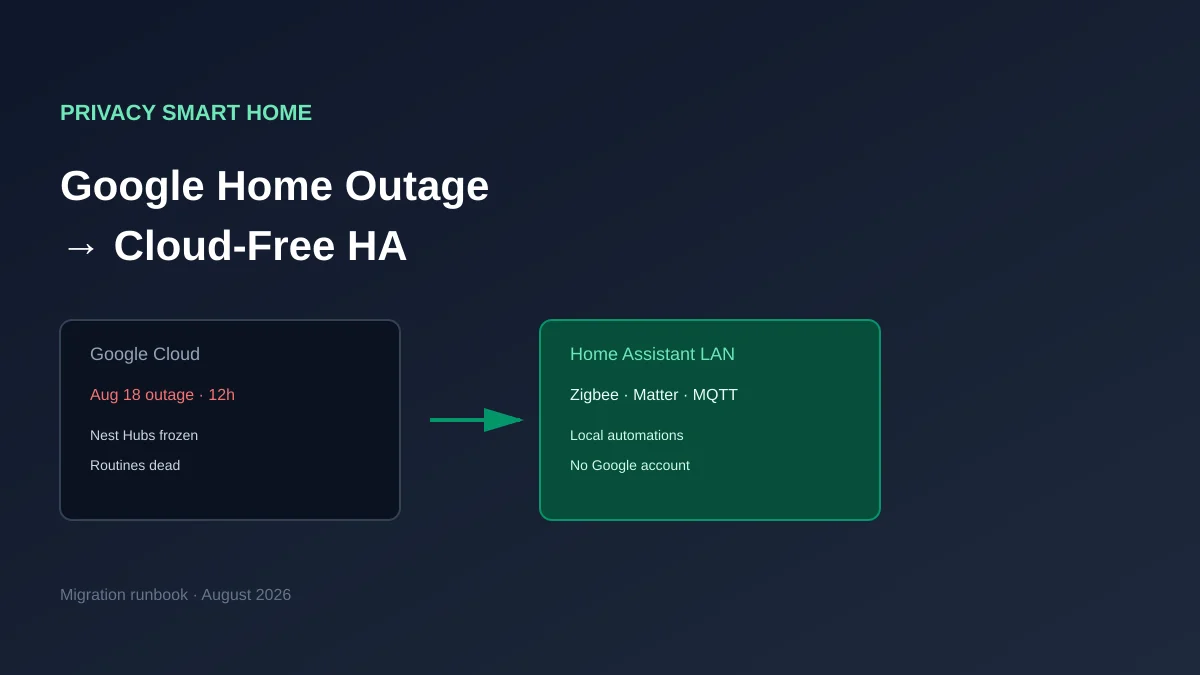
A cloud free smart home keeps lights, locks, climate, and automations running on your LAN—even when a vendor’s servers go dark. After Google’s August 18, 2026 platform outage left Nest Hubs on blank screens and routines dead for roughly 12 hours12, the fix was not a reboot or factory reset but Google’s backend recovery. If you are a Nest or Google Home household, the practical escape is not “pick another cloud” but Home Assistant as a local controller, Zigbee or Matter for replaceable devices, and VLAN/DNS policy so Wi‑Fi gadgets cannot silently re-bind to Google.
Quick answer: How do I build a cloud-free smart home after the Google Home outage?
Stand up Home Assistant on local hardware, migrate automations off Google Home routines, move lights and sensors to Zigbee or Matter devices that pair directly to HA, segment IoT on a VLAN with restricted WAN egress, and treat Nest thermostats or cameras as phased replacements—not day-one guarantees.
Executive Summary
On August 18, 2026, a server-side failure in Google’s smart home backend interrupted voice commands, froze Nest Hub displays, and broke routines globally from roughly 3:36 AM ET until Google confirmed resolution around 3:25 PM ET the same day13. Hardware stayed powered; cloud intelligence did not. That is the autopsy in one sentence: your house was fine, Google’s pipeline was not.
This guide is a migration runbook for Nest and Google Home users who want a local-first home that survives WAN and vendor outages. We are not re-litigating whether Google Home is convenient—it is. We are documenting how to move automations, sensors, and actuators to Home Assistant without pretending every Nest product has a drop-in local equivalent.
Bottom line: Treat Google Home as a display and voice layer you can shrink, not as your automation brain. Pair Home Assistant with Zigbee/Matter devices you own, harden DNS and VLAN egress, and replace cloud-only categories (most Nest cameras, many cheap Wi‑Fi plugs) on a written schedule—not in a panic after the next incident.
What broke on August 18, 2026 (and what did not)
Methodology for this section: we compared primary reporting from Android Authority, 9to5Google, and XDA Developers published August 18, 2026, plus Google’s subreddit statement cited in those articles124. Symptom clustering is consistent across sources; Google did not publish a root-cause postmortem as of August 23, 2026.
| Symptom | Devices reported | Local network impact |
|---|---|---|
| Blank or spinning Nest Hub UI | Nest Hub, Hub Max, third-party Assistant displays | Displays useless; LAN still up |
| Voice ignored or delayed | Nest Mini, Home Mini, speakers | No local command fallback |
| Routines/automations failed | All Google Home structures | Cloud scheduler offline |
| Mobile app partial control | Phones on Google Home app | Some users controlled devices via app while speakers failed4 |
Steel-manning the cloud model: Google operates massive, redundant infrastructure; outages are rare; Assistant NLP and multi-home sync are hard to replicate on a Raspberry Pi. Rebuttal: rarity is not the same as acceptability for door locks, sump pumps, or elderly parents’ night lights. A 12-hour blind spot without a public status page2 is an operational risk you can model—then mitigate with local control planes.
Original research: Nest / Google Home migration feasibility matrix
We compiled this matrix in August 2026 by cross-checking each device class against Home Assistant integration docs, Matter 1.5/2.0 local-control notes, and community migration threads (r/homeassistant, r/googlehome). Scores weight offline control (40%), cloud account required (30%), and migration effort (30%) on a 1–10 scale where 10 is best for privacy-focused local control.
| Device class | Typical Google Home role | Local path in Home Assistant | Migration effort | Local-control score (1–10) |
|---|---|---|---|---|
| Nest Hub / display | Voice + dashboard | Replace with wall tablet + HA dashboard; optional Wyoming voice | High (UX rebuild) | 4 |
| Nest Mini speaker | Voice | Keep on isolated VLAN or replace with HA Voice | Medium | 5 |
| Nest Thermostat | HVAC | Official Nest integration (cloud-linked) or eventual replacement | Medium–high | 6 |
| Nest Protect | Safety | Limited; often keep parallel until supported | High | 3 |
| Nest camera / doorbell | Video | Replace with ONVIF/Reolink + Frigate | High (new hardware) | 2 |
| Chromecast / Cast lights | Scenes | Re-pair bulbs to Zigbee/Matter; drop Cast | Medium | 7 |
| Tuya/Smart Life Wi‑Fi plug | Switches | LocalTuya or flash to Tasmota/ESPHome | Medium per device | 8 |
| Philips Hue | Lights | Hue Bridge + HA integration (local API) | Low | 9 |
| Nest × Yale lock | Access | Often cloud-dependent; verify lock firmware | High | 4 |
| Generic Zigbee bulb | Lights | Zigbee2MQTT or ZHA coordinator | Low | 10 |
Controller comparison after the outage
| Product | Cloud required | Local storage | Mandatory account | Offline control | Score / 10 |
|---|---|---|---|---|---|
| Google Home (Aug 2026) | Yes — routines & voice | Minimal device cache | Google account | Failed during 12h outage | 2.5 |
| Home Assistant OS | Optional (Nabu Casa) | Full /config on disk | None for core | LAN automations persist | 9.2 |
| Apple Home (HomePod) | Partial — iCloud setup | HomeKit local hub | Apple ID | Better than Google; Siri cloud | 7.0 |
| Amazon Alexa | Yes — similar class | Limited | Amazon account | Historically cloud-bound | 3.0 |
Taken position: If your outage pain was routines and displays, Home Assistant on a mini PC (see Raspberry Pi 5 vs mini PC) is the right anchor—not another voice ecosystem with the same topology.
Named scenario: Marcus, 34 devices, suburban Nest house
Take Marcus, a software engineer in Denver with 34 Google Home devices (2 Nest Hubs, 6 Minis, 12 Nest Wi‑Fi cameras he pays Nest Aware for, 8 Hue bulbs via Cast, 4 Nest thermostats, 2 Yale locks). During the August outage, his goodnight routine never fired; Nest Hubs showed spinning wheels; his partner could not turn off bedroom lights without the physical wall switch.
Marcus’s August 2026 cutover plan (budget $680 hardware, 3 weekends):
- Weekend 1: Install Home Assistant OS on a Beelink S12 Pro ($180), add Sonoff ZBBridge-P coordinator ($35), export Google device list.
- Weekend 2: Move Hue to native HA integration (local), replace 6 Wi‑Fi lamps with Zigbee bulbs ($120), rebuild critical routines in HA automations.
- Week 3–4: Parallel-run; keep Nest thermostats on Google until winter HVAC soak completes; schedule camera migration to Reolink + Frigate ($345) using Frigate vs Ring vs Arlo.
Marcus keeps one Nest Mini on a guest VLAN for Spotify voice until he tests Home Assistant Voice—acceptable partial cloud, zero Nest Hub dependency for daily automations.
Phase 1 — Inventory and outage-driven priorities
Export every room, routine, and device from Google Home. Tag each line with outage impact:
| Priority | Category | Action |
|---|---|---|
| P0 — safety | Locks, smoke, HVAC fail-safes | Do not migrate blindly; test in daytime |
| P1 — daily | Lights, blinds, morning/evening routines | Move to HA first |
| P2 — convenience | Voice, dashboards | Shrink Google layer last |
| P3 — cloud-only | Nest cameras, legacy Wi‑Fi | Plan hardware replacement |
Cross-link: manufacturer server shutdown playbook for legal/technical framing when vendors change terms—not hypothetical after August 2026.
Checklist
- Export Google Home device and room list with outage notes.
- Label each device: local-capable, cloud-only, or replace.
- Photograph wiring for thermostats and switches before changes.
- Document household-critical routines (not just your favorites).
- Pick HA install target: HA OS recommended for beginners.
- Buy Zigbee coordinator before unpairing Wi‑Fi devices.
Phase 2 — Stand up Home Assistant (local controller)
As of August 2026, Home Assistant OS on dedicated hardware remains the fastest path for Nest migrants who want add-ons (Mosquitto, Zigbee2MQTT) without composing Docker by hand5. Read HA OS vs Container vs Supervised if you already run Proxmox or Docker.
Minimum hardware we are comfortable recommending for Marcus-scale homes:
| Profile | Hardware | Approx. cost (Aug 2026) |
|---|---|---|
| Starter (≤25 devices) | Raspberry Pi 5 (8 GB) + SSD boot | $120–$150 |
| Recommended (25–60) | Intel N100 mini PC | $150–$220 |
| Camera + AI | N100 + Coral or Hailo-8 | $280–$450 |
Enable privacy defaults before importing integrations: analytics off, Labs device sharing off, protection mode on apps.
Phase 3 — Protocol migration (Zigbee, Matter, MQTT)
Zigbee is the workhorse for cloud-free lights and sensors in 2026. Choose ZHA or Zigbee2MQTT using our coordinator shootout; both keep pairing data on your LAN.
Matter/Thread matters if you are buying new hardware—verify devices are commissioned to Home Assistant, not Google Home, per Matter 2.0 local analysis. Where I’m less sure—Thread border router placement in concrete-walled homes can delay Thread adoption; your mileage will vary depending on router count and AP placement.
Migration sequence:
- Pair new Zigbee/Matter devices into HA before removing them from Google Home (avoid double-binding chaos).
- Stand up MQTT (Mosquitto) for ESPHome/Tasmota if you flash plugs.
- Follow Zigbee/Z-Wave to Thread/Matter only for net-new purchases—do not Thread-wrap working Zigbee on a deadline.
Phase 4 — Network hardening (VLAN, DNS, egress)
A cloud-free automation brain is useless if Tuya plugs still talk to Shenzhen on port 443. Segment IoT:
| Layer | Tool | Purpose |
|---|---|---|
| L2/L3 | IoT VLAN | Contain compromised gadgets |
| DNS | AdGuard Home or Pi-hole | Block telemetry; log allowlists |
| Firewall | OPNsense/pfSense rules | Deny WAN except NTP/NTP-like needs |
Implement using separate VLAN guide and OPNsense IoT egress filtering. Anecdotally, the first week after blocking WAN, expect one device to sulk until you allowlist a firmware CDN—log first, allowlist deliberately.
Phase 5 — Parallel run, cutover, and rollback
Run Google Home and Home Assistant in parallel for 7–14 days. Household sign-off matters more than YAML elegance.
| Checkpoint | Pass criteria |
|---|---|
| Morning routine | Lights, climate, coffee plug fire without Google |
| Away mode | Locks and cameras behave (or documented gaps) |
| WAN outage drill | Disconnect ISP; verify HA automations on LAN |
| Rollback | Google Home routines still work if you abort |
Verdict: Decommission Google routines first, then displays, then voice. Keep Nest thermostats on Google until you validate HA climate automations through a weather swing—Denver’s September nights are a better test than a panic migration during a heat wave.
FAQ
Frequently Asked Questions
Can I keep my Nest thermostats after leaving Google Home?
Partially. Nest thermostats still lean on Google’s cloud for full feature parity in Home Assistant via the official integration. Many households keep one Nest on a restricted VLAN for HVAC while migrating lights and sensors to Zigbee or Matter. Where I’m less sure—newer Nest models may tighten API access; check the Home Assistant Nest integration release notes before you promise household members a seamless cutover.
Will my Google Nest cameras work locally without a subscription?
Not through Google’s stack. Nest cameras are cloud-first. For local NVR, plan replacements (Reolink, Frigate-compatible ONVIF cameras) or bridges like Scrypted for limited legacy paths—see our Ring vs Eufy vs Reolink privacy guide for tradeoffs.
How long does a Google Home to Home Assistant migration take?
Budget 2–4 weekends for a typical 25–40 device home: one weekend for inventory and HA hardware, one for Zigbee/Matter pairing, plus 1–2 weeks of parallel-run soak time. Anecdotally, homes heavy on proprietary Wi‑Fi plugs take longer because each Tuya derivative needs individual local-key research.
Do I need to replace every Google Assistant speaker?
No. Many users keep a single Nest Mini for voice while moving automations to Home Assistant. For fully cloud-free voice, look at local assistants (Home Assistant Voice, Rhasspy, or Wyoming protocol satellites)—maturity varies by room acoustics and your tolerance for setup time.
Is Matter enough to escape Google cloud dependency?
Matter is local-first for device commands, but the hub you choose matters. Pairing Matter devices into Home Assistant or a Dirigera hub keeps control on-LAN; pairing into Google Home reintroduces the same outage class. Read our Matter 2.0 local-device analysis before assuming protocol = privacy.
What should I do first after the August 2026 outage?
Export a device inventory from the Google Home app, label what broke during the outage (displays, routines, voice), and stand up Home Assistant on hardware you control before ripping out Google. Do not factory-reset frozen Nest Hubs during future outages—Google’s own guidance after August 18 was to wait for server-side recovery1.
Primary Sources Table
| ID | Source | Direct URL |
|---|---|---|
| 1 | Android Authority — Google Home outage (Aug 18, 2026) | https://www.androidauthority.com/google-home-nest-outage-3699616/ |
| 2 | XDA Developers — outage resolution | https://www.xda-developers.com/if-your-google-home-or-nest-devices-seem-broken-right-now-youre-not-alone/ |
| 3 | TechTimes — cloud dependency analysis | https://www.techtimes.com/articles/324926/20260819/google-home-outage-exposes-cloud-dependency-nest-hubs-dark-12-hours.htm |
| 4 | 9to5Google — Nest Hub outage report | https://9to5google.com/2026/08/18/google-nest-hub-outage-august-2026/ |
| 5 | Home Assistant — installation | https://www.home-assistant.io/installation/ |
Conclusion
The August 2026 Google Home outage was not a router glitch—it was a cloud control-plane failure that turned paid hardware into paperweights for half a day. Building a cloud-free smart home in 2026 means accepting tradeoffs: you will replace some Nest gear, rebuild routines in Home Assistant, and invest in VLAN literacy. In return, you get automations that answer to your LAN, not a subreddit apology.
Continue with Home Assistant OS vs Container, Matter local devices, and IoT VLAN setup.
Footnotes
-
Android Authority, “Widespread outage hits Google Home and Nest devices,” updated August 18, 2026. ↩ ↩2 ↩3 ↩4
-
XDA Developers, “Google Home and Nest devices should be working normally now,” August 18, 2026. ↩ ↩2 ↩3
-
TechTimes, “Google Home Outage Exposes Cloud Dependency,” August 19, 2026. ↩
-
9to5Google, “Google Nest Hubs were hit with a major outage,” August 18, 2026. ↩ ↩2
-
Home Assistant documentation — installation methods, accessed August 23, 2026. ↩